// Add the code below to the root of your React app.import { StrictMode } from 'react';import { createRoot } from 'react-dom/client';import { LDProvider } from 'launchdarkly-react-client-sdk';function App() { return <div>Let your feature flags fly!</div>}// A "context" is a data object representing users, devices, organizations, and other entities.const context = { kind: 'user', key: 'EXAMPLE_CONTEXT_KEY', email: 'biz@face.dev',};// The clientSideID is your SDK key.// This value is automatically retrieved from LaunchDarkly.createRoot(document.getElementById('root') as HTMLElement).render( <StrictMode> <LDProvider clientSideID="YOUR_CLIENT_SIDE_ID" context={context}> <App /> </LDProvider> </StrictMode>,);
Finding your SDK credentials
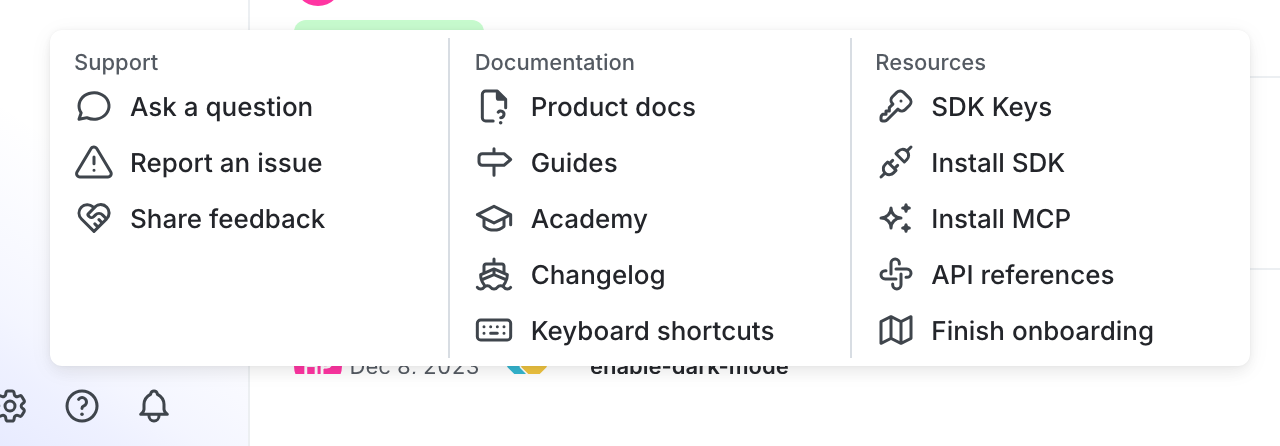
You can find your server-side SDK key, client-side ID, and mobile key in the “Resources” section of the help menu. Click the help icon at the bottom left corner of the LaunchDarkly UI, then choose SDK keys: