import * as LaunchDarkly from 'launchdarkly-node-client-sdk';// A "context" is a data object representing users, devices, organizations, and other entities.const context = { kind: 'user', key: 'EXAMPLE_CONTEXT_KEY',};const client = LaunchDarkly.initialize('YOUR_CLIENT_SIDE_ID', context);try { await client.waitForInitialization(5); // Initialization succeeded} catch (err) { // Initialization failed or did not complete before timeout}
Finding your SDK credentials
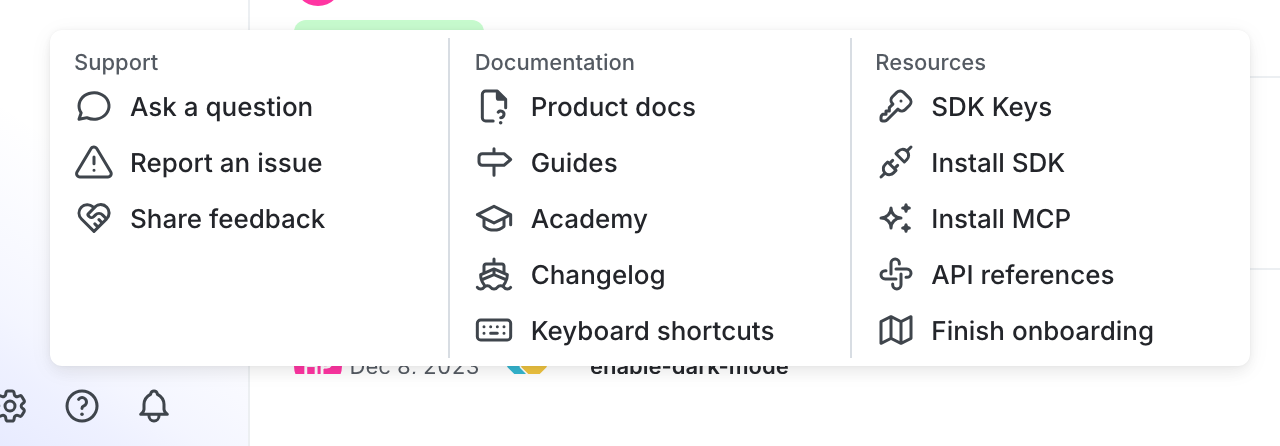
You can find your server-side SDK key, client-side ID, and mobile key in the “Resources” section of the help menu. Click the help icon at the bottom left corner of the LaunchDarkly UI, then choose SDK keys:
The SDK keys option in the help menu.
To learn more, read Initialize the client in the Node.js (client-side) SDK reference guide.
⌘I
Assistant
Responses are generated using AI and may contain mistakes.