import LaunchDarklylet config = LDConfig(mobileKey: "YOUR_MOBILE_KEY", autoEnvAttributes: .enabled)// A "context" is a data object representing users, devices, organizations, and other entities.let contextBuilder = LDContextBuilder(key: "EXAMPLE_CONTEXT_KEY")guard case .success(let context) = contextBuilder.build()else { return }LDClient.start(config: config, context: context, startWaitSeconds: 5) { timedOut in if timedOut { print("SDK didn't initialize in 5 seconds. SDK is still running and trying to get latest flags.") } else { print("SDK successfully initialized with the latest flags") }}print("SDK started.")
Finding your SDK credentials
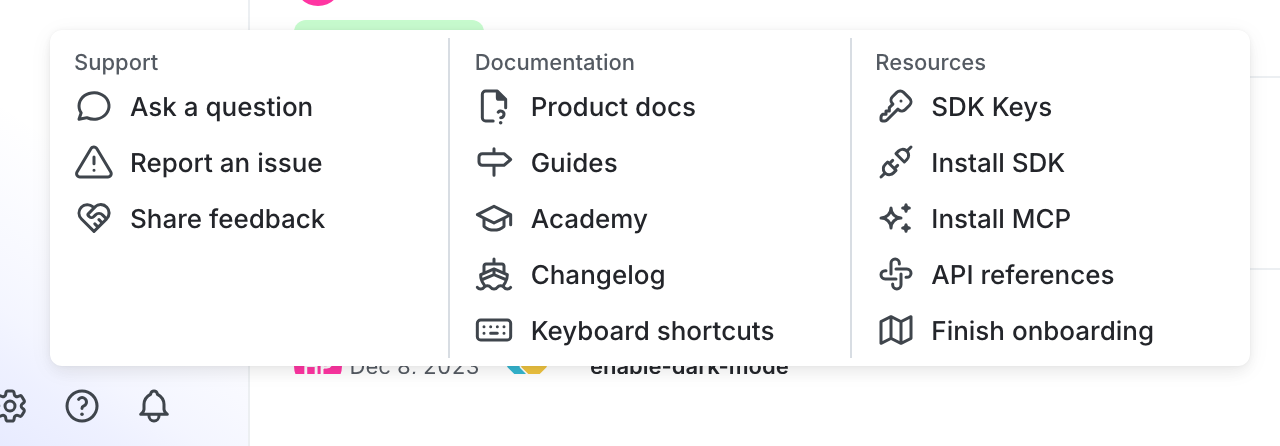
You can find your server-side SDK key, client-side ID, and mobile key in the “Resources” section of the help menu. Click the help icon at the bottom left corner of the LaunchDarkly UI, then choose SDK keys: