import com.launchdarkly.sdk.*;import com.launchdarkly.sdk.server.*;public class Main { public static void main(String[] args) { LDConfig config = new LDConfig.Builder().build(); // Set your LaunchDarkly SDK key. // This is inlined as example only for onboarding. // Never hardcode your SDK key in production. final LDClient client = new LDClient("YOUR_SDK_KEY", config); if (client.isInitialized()) { // For onboarding purposes only we flush events as soon as // possible so we quickly detect your connection. // You don't have to do this in practice because events are automatically flushed. client.flush(); System.out.println("SDK successfully initialized!"); } }}
Finding your SDK credentials
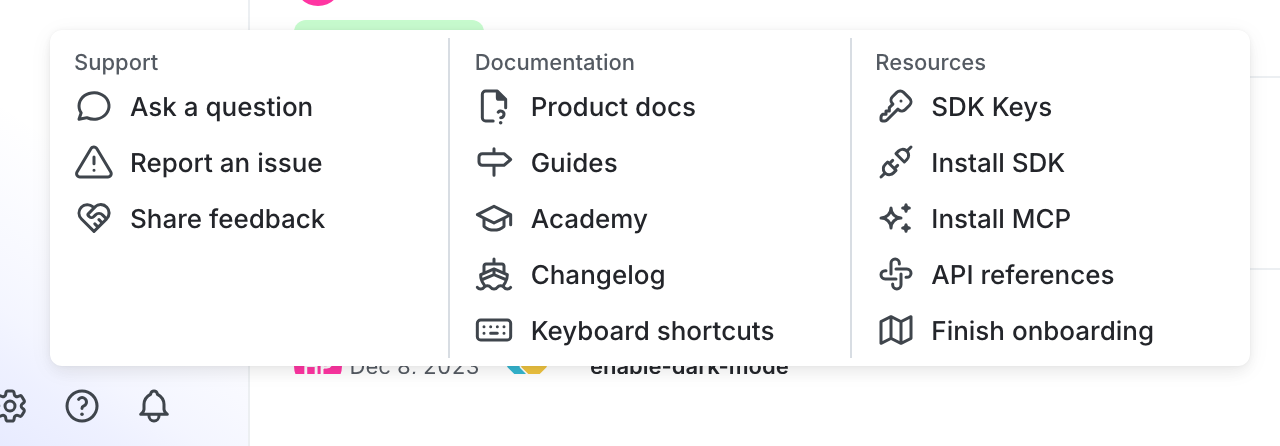
You can find your server-side SDK key, client-side ID, and mobile key in the “Resources” section of the help menu. Click the help icon at the bottom left corner of the LaunchDarkly UI, then choose SDK keys: