using LaunchDarkly.Sdk;using LaunchDarkly.Sdk.Server;var builder = WebApplication.CreateBuilder(args);// Set your LaunchDarkly SDK key.// This is inlined as example only for onboarding.// Never hardcode your SDK key in production.var ldConfig = Configuration.Default("YOUR_SDK_KEY");var client = new LdClient(ldConfig);if (client.Initialized){ // For onboarding purposes only we flush events as soon as // possible so we quickly detect your connection. // You don't have to do this in practice because events are automatically flushed. client.Flush(); Console.WriteLine("*** SDK successfully initialized!\n");}else{ Console.WriteLine("*** SDK failed to initialize\n"); Environment.Exit(1);}
Finding your SDK credentials
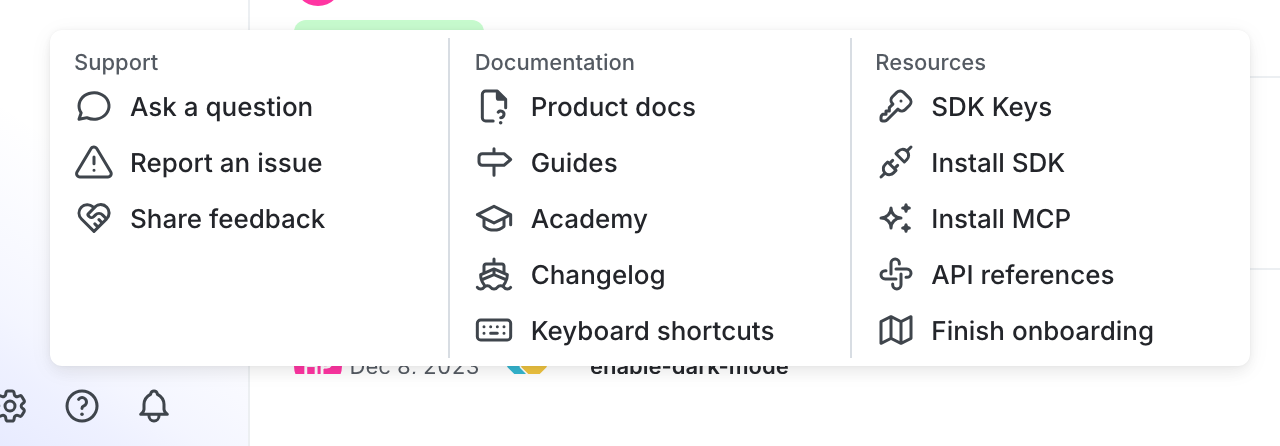
You can find your server-side SDK key, client-side ID, and mobile key in the “Resources” section of the help menu. Click the help icon at the bottom left corner of the LaunchDarkly UI, then choose SDK keys:
The SDK keys option in the help menu.
To learn more, read Initialize the client in the .NET (server-side) SDK reference guide.
⌘I
Assistant
Responses are generated using AI and may contain mistakes.