

Overview
This topic gives a high-level explanation of LaunchDarkly’s platform architecture. You may want to read this topic if you are a developer considering implementing LaunchDarkly in your project, or an administrator who wants to understand how LaunchDarkly interacts with your app. If you’re an end user of the LaunchDarkly user interface (UI), you may not need to know what’s explained in this topic.How Launch
Darkly connects to your applicationYour application uses a LaunchDarkly SDK to connect to LaunchDarkly’s flag delivery network, and uses that connection to evaluate and serve specific feature flag variations to specific contexts with any attributes you specify. You can use context attributes to target individuals, device types, geographic regions, infrastructure components, operating system versions, and more. This is true regardless of whether LaunchDarkly serves the flag variation to a desktop, laptop, or mobile device. LaunchDarkly SDKs are available in dozens of languages. To learn more, read SDKs.How your application receives flag values
After you integrate a LaunchDarkly SDK with your application, flag evaluation can begin. When your application launches, the LaunchDarkly SDK initializes and retrieves the current set of feature flag values from LaunchDarkly. By default, the SDK stores and evaluates this initial feature flag data in an in-memory cache that never expires. Your application uses the in-memory feature store to receive near-instant access to flag variations, and the SDK sends information about flag evaluations back to LaunchDarkly.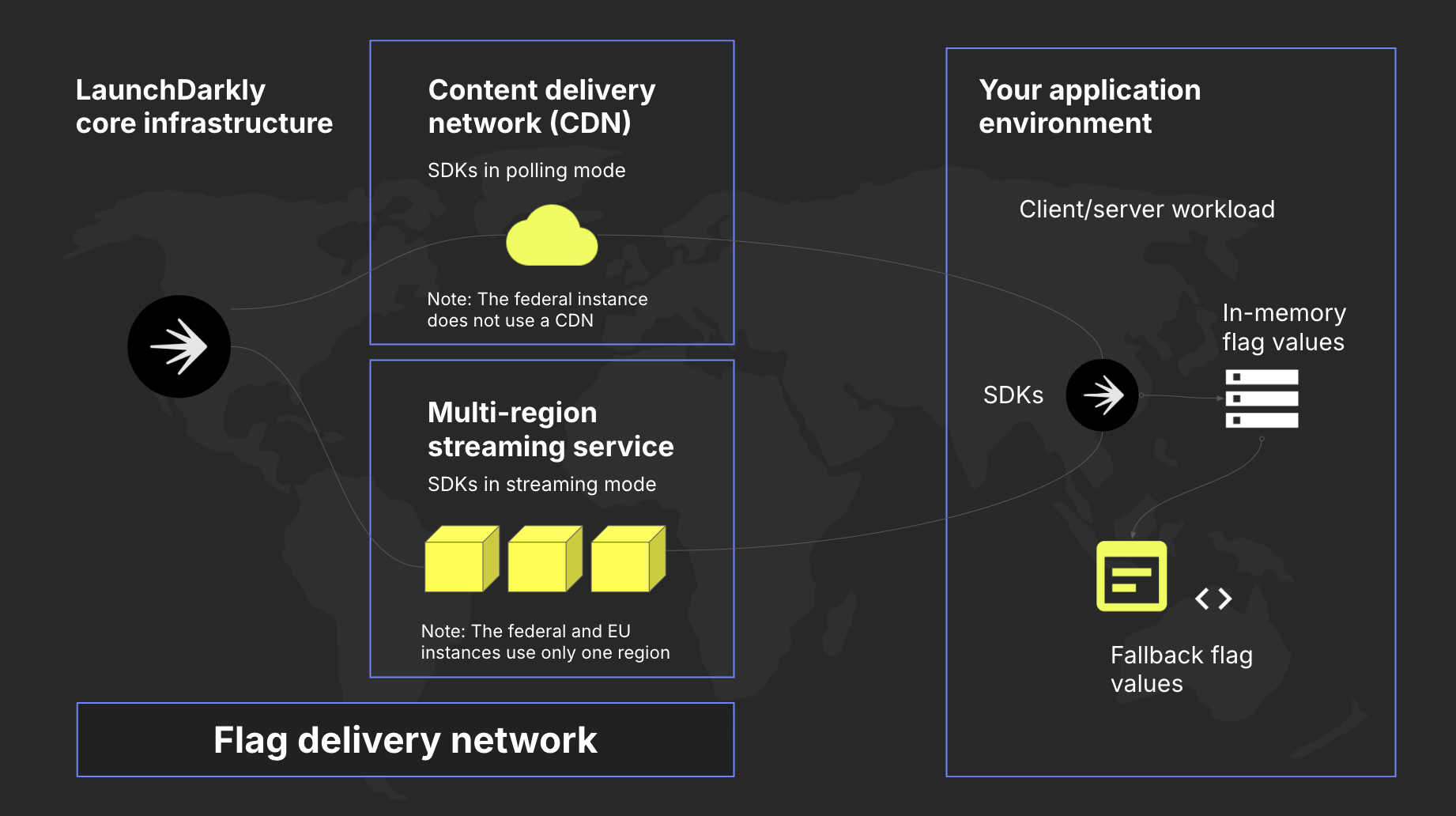
A diagram showing the end-to-end connection between LaunchDarkly's flag delivery network and your application. LaunchDarkly's Federal and EU instances have slightly different topology.
Optional components of a Launch
Darkly installationIn addition to LaunchDarkly’s built-in core architecture, two optional components are available for you to configure. You do not have to use either of these components, but if you do, you can use either or both. Whatever you choose, you install and configure the components, and you control the data that flows in or out of them.The Relay Proxy
The Relay Proxy is an optional component that provides a cache of flag values for a LaunchDarkly environment. To learn more, read The Relay Proxy.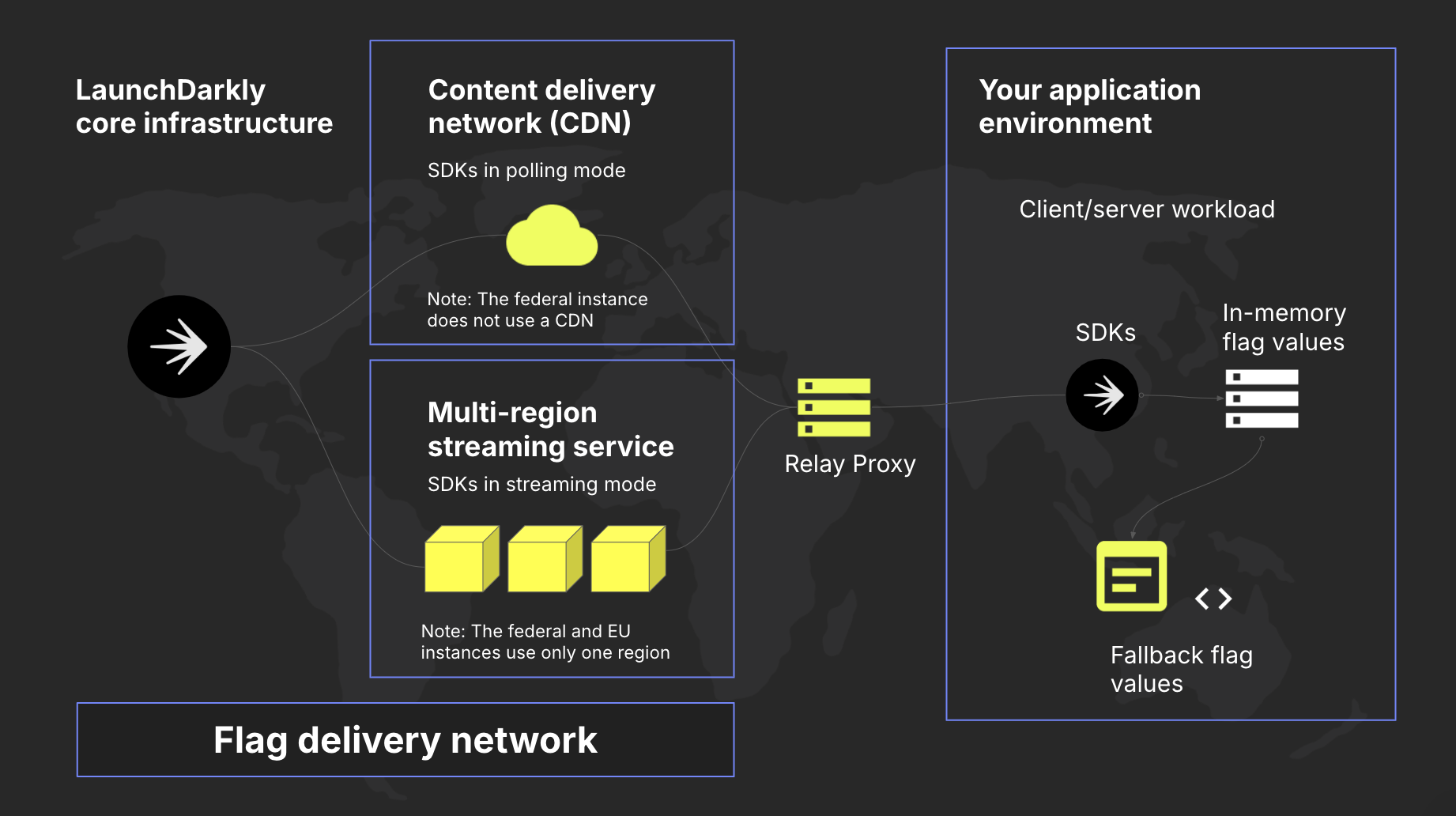
A diagram showing the end-to-end connection between LaunchDarkly's flag delivery network and your application, including an optional Relay Proxy. LaunchDarkly's Federal and EU instances have slightly different topology.
Data Export
Data Export is an optional feature that allows you to stream event data to different destination services so you can analyze information using your preferred tools. To learn more, read Data Export.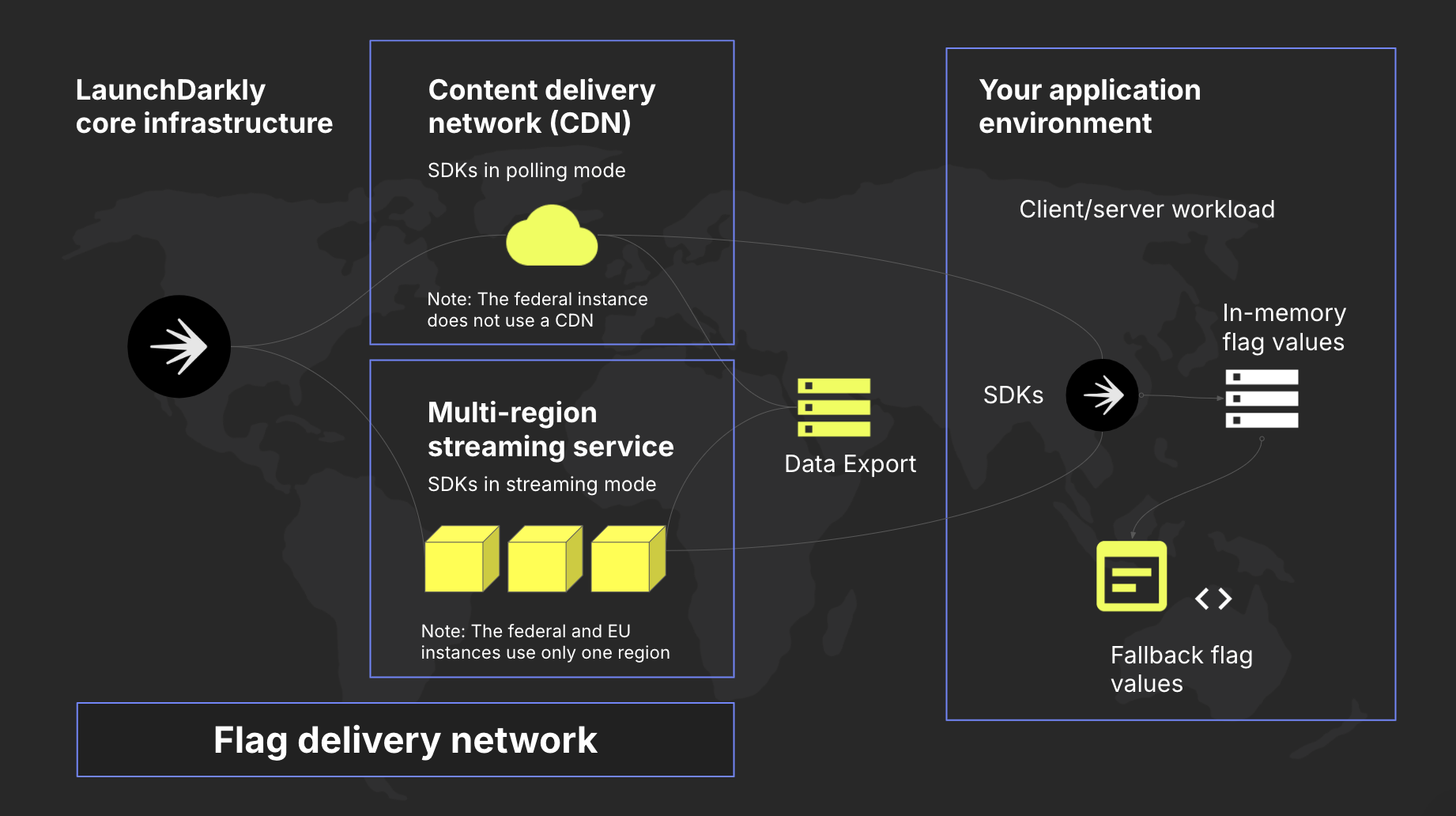
A diagram showing the end-to-end connection between LaunchDarkly's flag delivery network and your application, including an optional Data Export destination. LaunchDarkly's Federal and EU instances have slightly different topology.