If you are using the standard Go modules system, import the SDK packages in your code and go build will automatically download them. The SDK and its dependencies are modules.
package mainimport ( "fmt" "os" "time" "github.com/launchdarkly/go-sdk-common/v3/ldcontext" ld "github.com/launchdarkly/go-server-sdk/v7")func main() { ldClient, _ := ld.MakeClient("YOUR_SDK_KEY", 5*time.Second) if ldClient.Initialized() { fmt.Printf("SDK successfully initialized!") } else { fmt.Printf("SDK failed to initialize") os.Exit(1) } // For onboarding purposes only we flush events as soon as // possible so we quickly detect your connection. // You don't have to do this in practice because events are automatically flushed. ldClient.Flush()}
Finding your SDK credentials
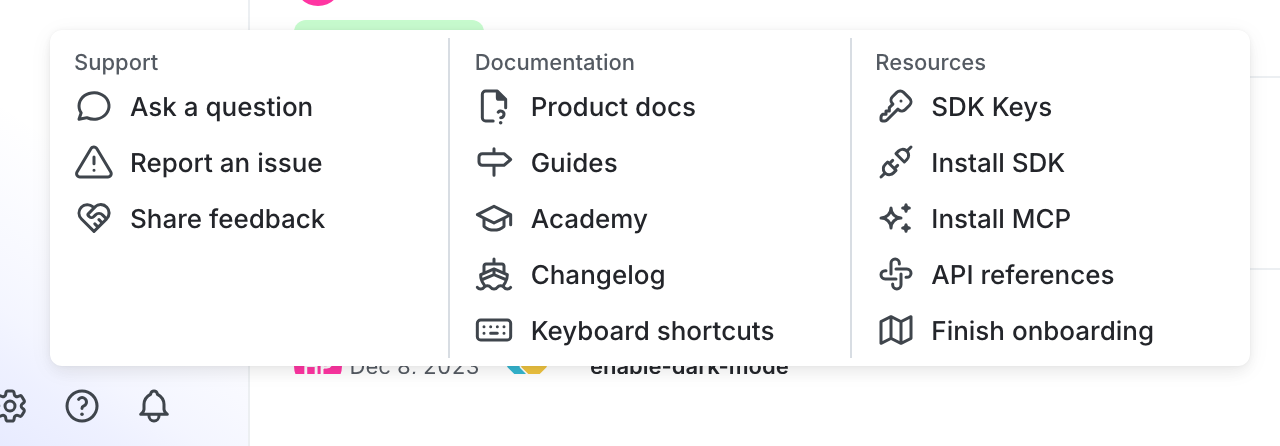
You can find your server-side SDK key, client-side ID, and mobile key in the “Resources” section of the help menu. Click the help icon at the bottom left corner of the LaunchDarkly UI, then choose SDK keys: