import com.launchdarkly.sdk.*import com.launchdarkly.sdk.android.*;val ldConfig = LDConfig.Builder(AutoEnvAttributes.Enabled) .mobileKey("YOUR_MOBILE_KEY") .build()// A "context" is a data object representing users, devices, organizations, and other entities.val context = LDContext.create("EXAMPLE_CONTEXT_KEY")// If you don't want to block execution while the SDK tries to get// latest flags, move this code into an async IO task and await on its completion.val client: LDClient = LDClient.init(this@BaseApplication, ldConfig, context, 5)
Finding your SDK credentials
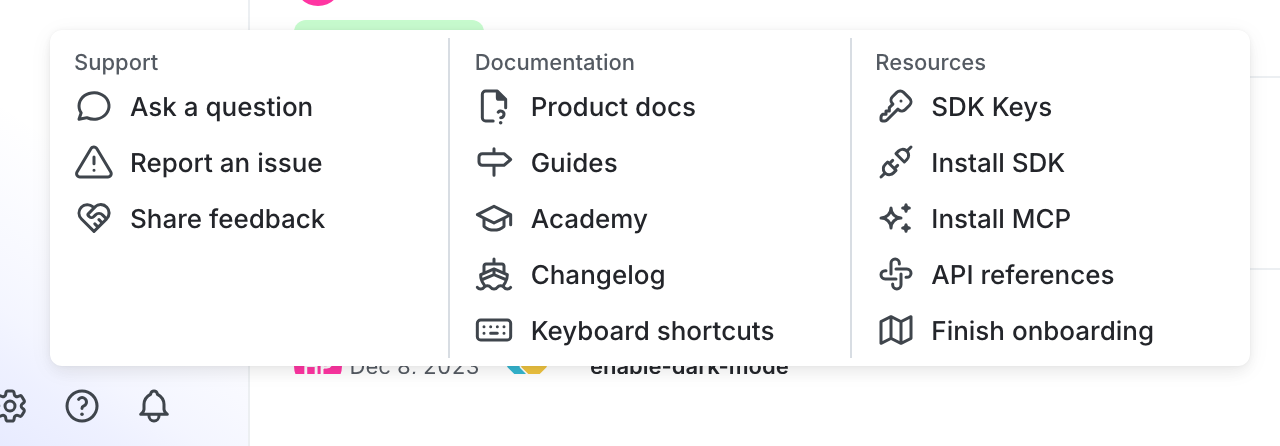
You can find your server-side SDK key, client-side ID, and mobile key in the “Resources” section of the help menu. Click the help icon at the bottom left corner of the LaunchDarkly UI, then choose SDK keys: