This topic explains how to use percentage rollouts to release new features incrementally.Percentage rollouts let you manage the risk of deployment by releasing a feature gradually. You can roll out your feature to a small percentage of contexts and, as you become more confident your feature is working as intended, manually increase the percentage over time.Percentage rollouts are one of several options that LaunchDarkly provides to help you release features to production safely and gradually. To learn about other options for releasing features, read Releasing features with LaunchDarkly.
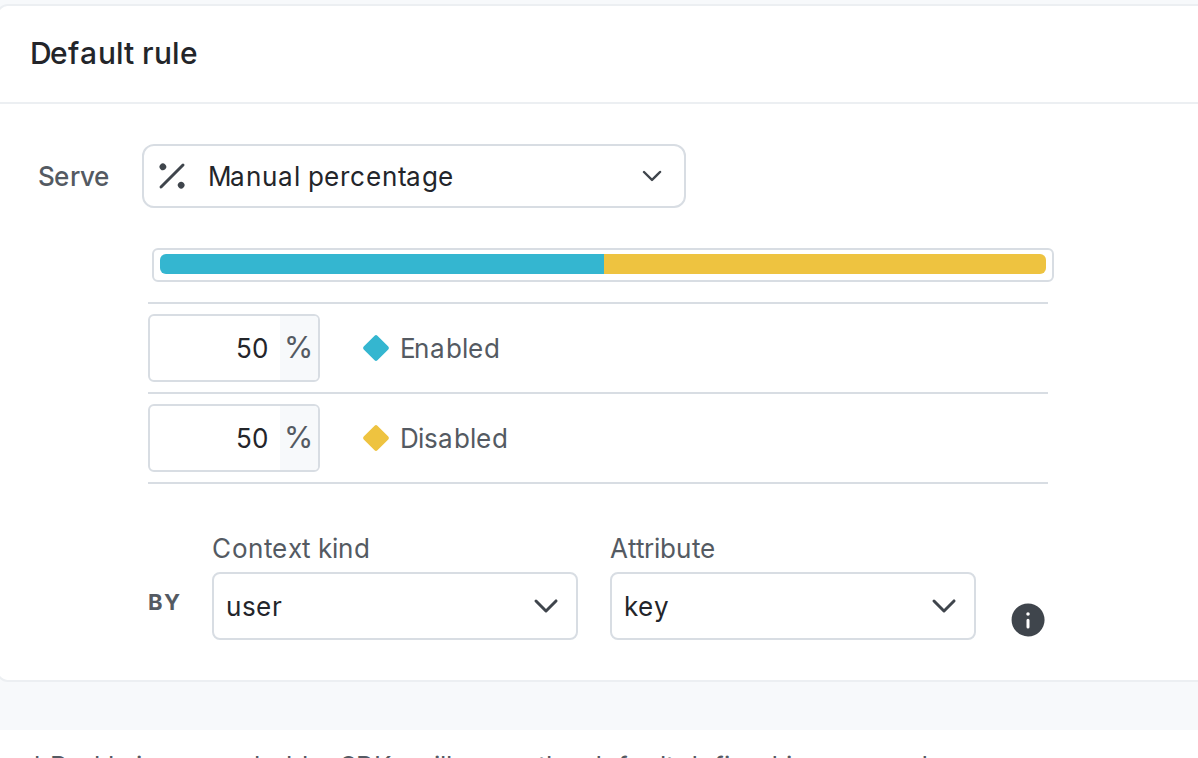
You can create a percentage rollout in a flag’s targeting rule or a flag’s default rule.Here is an image of a percentage rollout in a default rule:
The percentage rollout section.
In this example, 50% of user contexts will receive the new feature. If the new feature works as expected, you can increase the percentage of contexts receiving the new feature incrementally, until it eventually reaches 100%.If you want to roll out a variation to a very small percentage of contexts, you can assign less than 1% to a variation. You can use up to three decimal places, for example, 0.125%.Percentage rollouts require both a context kind and a context attribute. To learn more about which context attribute you might want to use in which situation, read Percentage rollouts by context attribute.You can use progressive rollouts to automate the process of changing rollout percentages over time. To learn how, read Progressive rollouts.To learn more about contexts, read Contexts.
Expand the section below to read about the details of LaunchDarkly’s percentage rollout logic.
Expand Percentage rollout logic
When you set up a percentage rollout, each context receives a particular variation based on their context key.The percentage rollout logic generates a hash based on both the context key and context kind. The SDK uses this hash to generate a percentage value for that context. That value, compared to the value set for the percentage rollout value, determines which variation a context receives. The hash has partitions from 1 to 100,
When you assign flag variations, the hash assigns values from 1 to 100,000 to contexts in each partition, in order. For example, when you assign 50% to variation A, LaunchDarkly serves variation A to hash partitions from 1 to 50,000.
A common use case for percentage rollouts is to increment the percentage of customers targeted by a flag over time until 100% of the customers receive one variation of a flag. When you change the percentage allocation of contexts to flag variations, those contexts are reassigned different flag variations based on their partition’s position in the 1 to 100,000 hash list. For example, if you change the percentage of contexts receiving variation A from 50% to 70%, partitions 50,001 to 70,000 would be added to the set of partitions already receiving variation A.To learn more about rollouts and variation assignments, read Percentage rollouts. To learn more about how to troubleshoot percentage rollouts with unexpected results, read Percentage rollout distribution appears inaccurate.
Percentage rollout logic with multiple context kinds
If a context matches the targeting rule that uses a percentage rollout, but its context kind is not the one by which the rollout occurs, then LaunchDarkly serves the first variation listed in the percentage rollout configuration with a percentage greater than zero. This may not be the default variation.This situation is rare for most targeting rules. However, it can sometimes occur if you are using a percentage rollout.
In this example, a boolean flag has a percentage rollout on the default rule. When the flag is off, it serves the “Disabled” variation. You are toggling the flag on, to begin serving “Enabled” to 50% of your “User” contexts.The percentage rollout uses the “User” context kind to assign contexts to different variations:
A percentage rollout for a boolean flag by "User" context kind.
However, if a context with a context kind of something other than “User,” such as a “Device” context, reaches the default rule for this flag, the device will not continue to receive the “Disabled” variation for the flag. Instead, it will receive the “Enabled” variation because it is the first variation listed in the percentage rollout configuration with a percentage greater than zero.
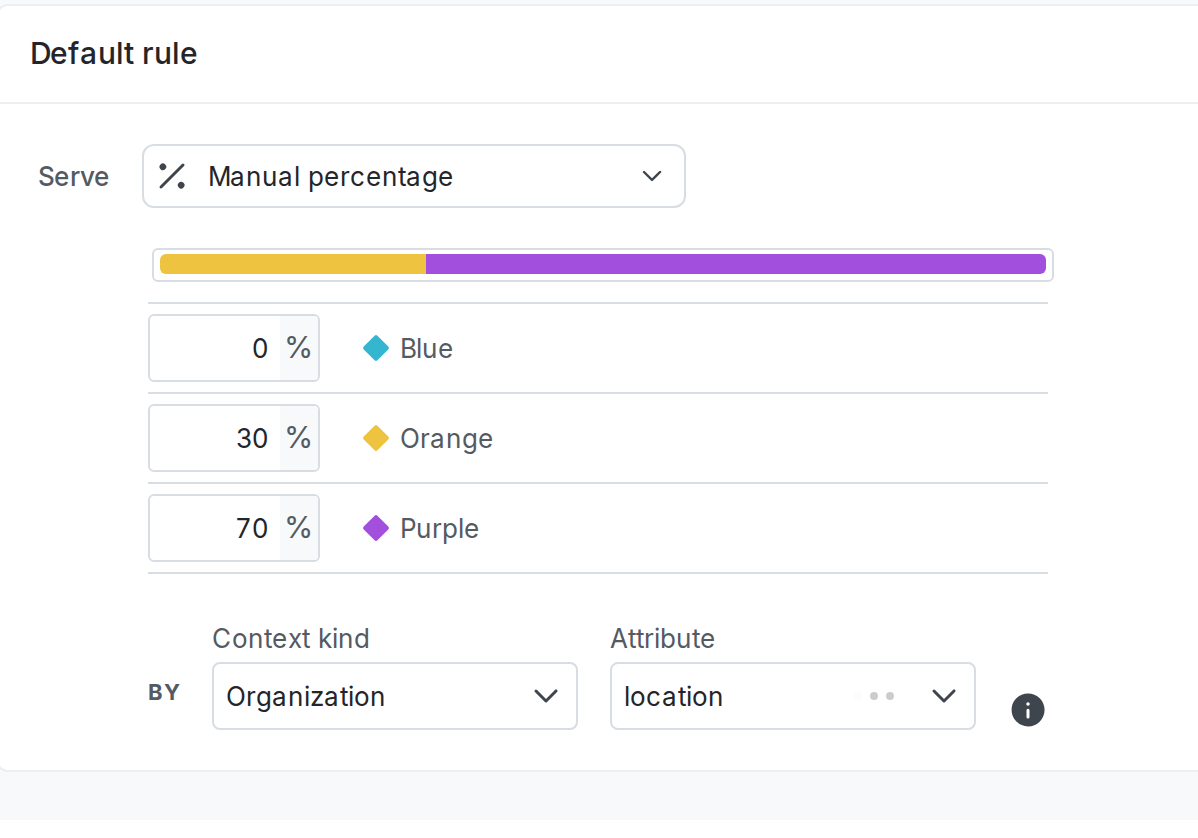
In this example, a multivariate flag has a percentage rollout on the default rule. When the flag is off, it serves the “Blue” variation. You are toggling the flag on, to begin serving “Orange” and “Purple” to your “Organization” contexts.The percentage rollout uses the “Organization” context kind to assign contexts to different variations:
A percentage rollout for a multivariate flag by "Organization" context kind.
However, if a context with a context kind of something other than “Organization,” such as a “User” context, reaches the default rule for this flag, the user will not continue to receive the “Blue” variation for the flag. Instead, it will now receive the “Orange” variation because it is the first variation listed in the percentage rollout configuration with a percentage greater than zero.
Target the same contexts in multiple percentage rollouts
Different flags with percentage rollouts assign contexts to their variations independently from each other, even if the targeting rules and percentage rollouts are the same. If you want two flags to target the exact same set of contexts as part of their percentage rollouts, you must target a segment instead.For example, if you have two flags that you want to serve “true” to 10% of your contexts and “false” to 90% of your contexts, create a segment that includes 10% of your contexts. To learn how, read Creating segments.Then, in each of your flags, serve “true” to all contexts in that segment. Each flag that targets that segment will include the same contexts in its targeting, assuming there are no other differences between the flags’ targeting rules.
⌘I
Assistant
Responses are generated using AI and may contain mistakes.