

Overview
This topic explains how to set up context kinds for use in guarded rollouts.All LaunchDarkly accounts include a limited trial of guarded rollouts. Use them to understand how well the feature supports your release process in production.
Randomization units
A guarded rollout uses a single context kind, called a randomization unit, to determine how to assign traffic to flag variations. Most guarded rollouts use therequest or user context kind as the randomization unit. This means the rollout assigns the new or original variation based on the request or user encountering the flag. You can also use another context kind, such as device or organization, depending on how your application is configured.
Choose the randomization unit
The randomization unit must be available in both the flag and in any metrics you want to monitor. We recommend choosing a randomization unit that represents a large number of unique contexts. This helps LaunchDarkly detect performance differences between variations more quickly.A minimum number of contexts must be served the new variation before the next stage of the rollout begins. If this minimum requirement is not met, LaunchDarkly automatically extends the current stage to allow more contexts to receive the new variation. If the requirement is still not met after the extension period, LaunchDarkly rolls back the release.
Requests
For backend-only changes, therequest context kind is often the best choice. Systems typically generate many distinct requests, and backend metrics like latency and error rate are usually measured per request.
To use request contexts, configure a context with the kind set to "request" and a key that uniquely identifies the request and remains consistent throughout the request lifecycle:
Users
Auser randomization unit is often the best choice for:
- Frontend-only changes
- Backend changes that may affect frontend metrics
- Backend changes that may impact performance outside the scope of the current request
user contexts, configure a context with the kind set to "user" and a key that uniquely identifies the user across all interactions:
Multi-contexts
To make a context kind available for use in your guarded rollouts, you must instrument your application code consistently. To simplify this, we recommend using multi-contexts to include multiple context kinds in each flag request. For example, if your application has both a frontend and a backend service:- On the client side, set the current context to a multi-context that includes all the contexts the frontend knows about, such as
useranddevice. - On the server side, create a multi-context that includes all the contexts the backend knows about, such as
userandrequest. Use this multi-context when evaluating flags.- Use the same multi-context in any custom event tracking calls to ensure consistency with how variations are served.
- In larger codebases, use middleware to consistently set the LaunchDarkly context for each request.
Mark context kinds available for guarded rollouts
In LaunchDarkly, the default context kind ofuser is automatically available for use in guarded rollouts. If you have created other context kinds and want to use them as randomization units, make sure they are marked as Available for experiments and guarded rollouts. To learn more, read Mark context kinds available for experiments.
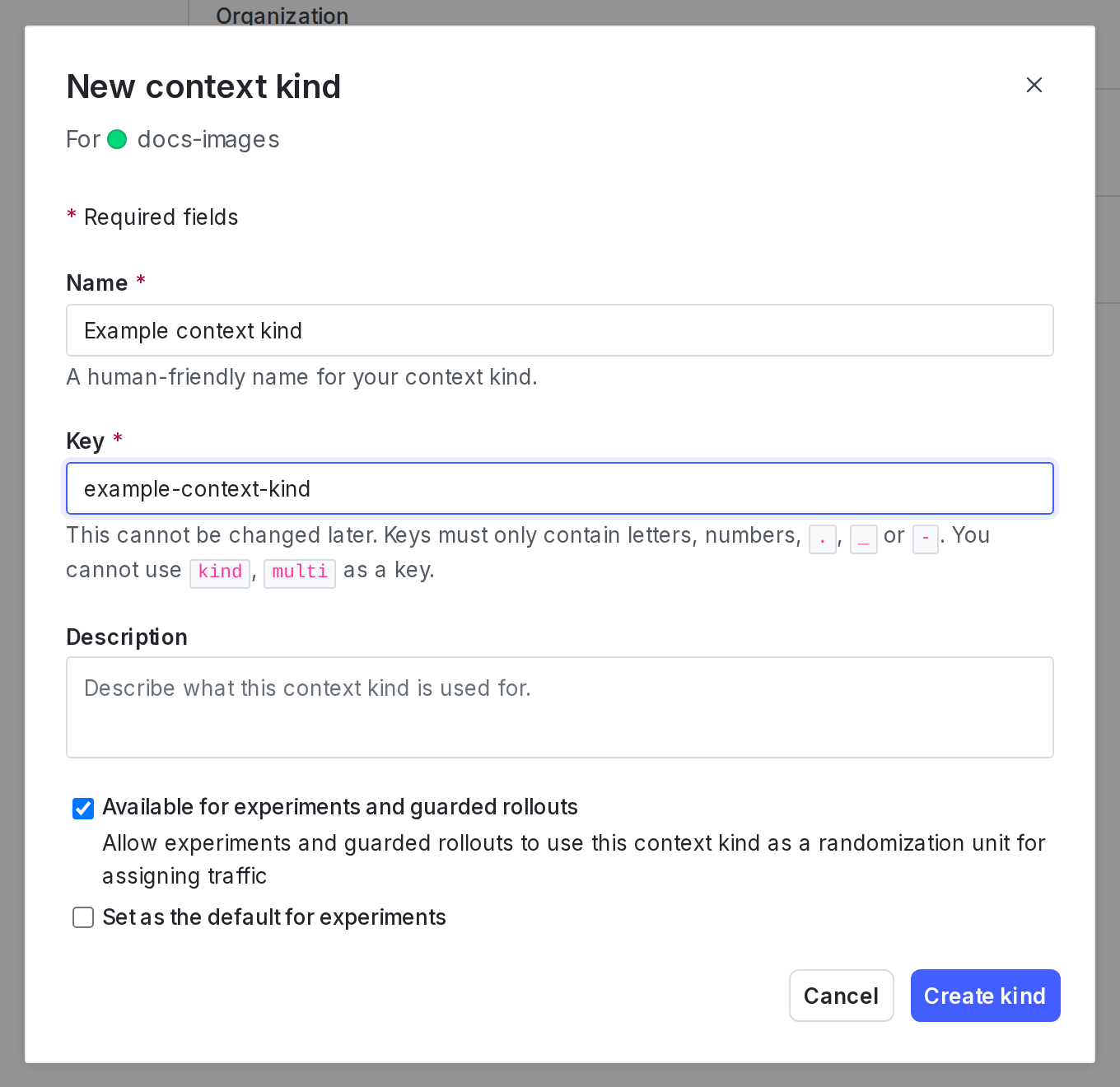 )
)The "New context kind" dialog with the "Available for experiments and guarded rollouts" option checked.
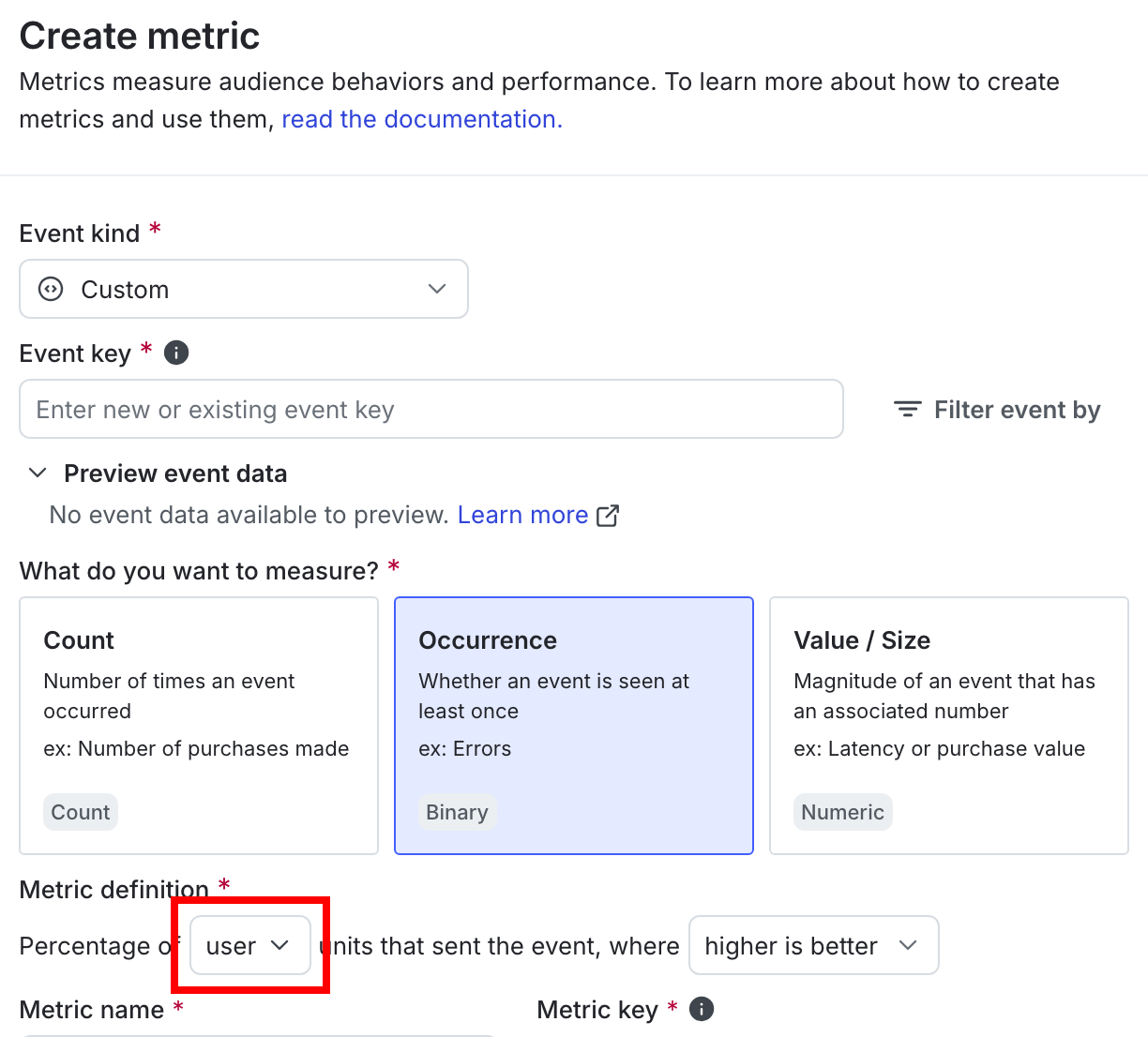
The "Metric definition" section of a new metric with the randomization unit called out.