

Overview
This category explains how to use flag targeting to control which of your customers receive which variation of a feature flag. Configuring flags to serve different variations to different end users, or “contexts,” is called “flag targeting.” LaunchDarkly contexts are data objects representing users, devices, organizations, and other entities that interact with your app. These data objects contain context attributes that describe what you know about that context, such as their name, location, device type, or organization they are associated with. LaunchDarkly SDKs can pass any context attributes you want to LaunchDarkly, where you can then use those attributes in flag targeting. In addition to targeting specific context attributes, you can target individuals, segments, or specific mobile apps and devices. You can also release features based on custom rules you create. You can even set expiration dates for flag targeting if you know you only want customers to receive a flag for a specific period of time. Here are example targeting rules on a feature flag: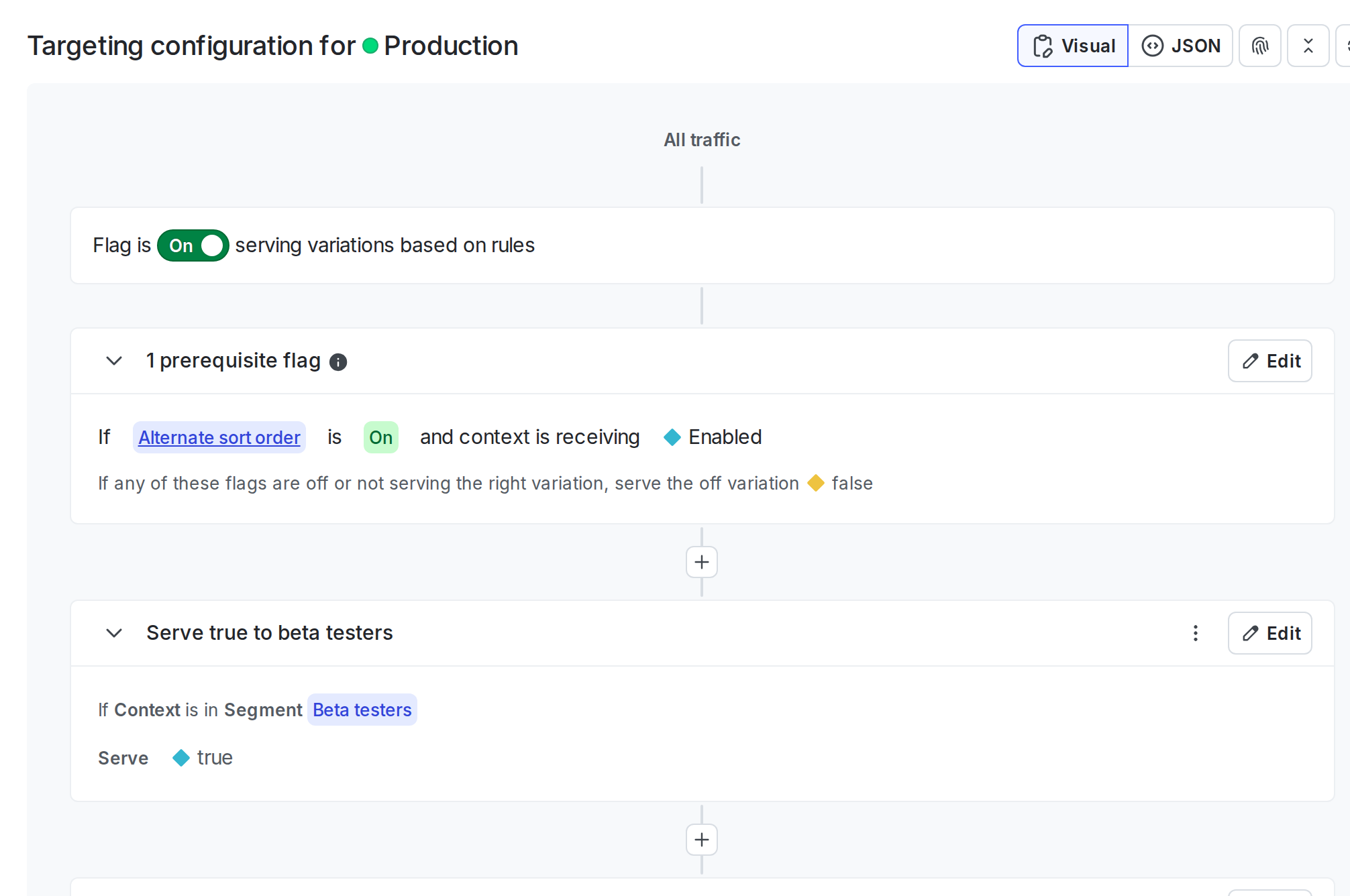
Targeting rules on a feature flag.
Migration flags show different information on their Targeting tab than feature flags do. A migration flag’s Targeting tab shows information about the migration’s health and the cohorts it is targeted to. To learn more, read Migration flags.