

Overview
This topic explains what custom attributes are and how to configure them. LaunchDarkly allows you to target contexts based on arbitrary custom attributes, which means you can control who receives features based on any criteria that you send to us. Here are example contexts containing custom attributes, though each SDK sends context data to LaunchDarkly in a slightly different format:Create custom attributes
You can create custom attributes in two ways:- By configuring them within your SDK, or
- by adding them from a flag’s Targeting tab.
Configure attributes within your SDK
When you configure attributes in your SDK, they will appear as an option in targeting rules after the SDK has passed those attributes to LaunchDarkly.
Configure your SDK: Context configuration
- The SDK has not yet passed events containing the attribute to your current environment in LaunchDarkly.
- The SDK sent the events very recently and LaunchDarkly has not processed them yet.
- Ad blockers or proxies are preventing the events from reaching LaunchDarkly. If so, the SDK will still evaluate contexts correctly.
- Your SDK is not configured to send events to LaunchDarkly.
Configure your SDK: Configuration
Add attributes from a flag’s Targeting tab
To add custom attributes from a flag’s Targeting tab, manually enter the name of the attribute in the “Attribute” field within a targeting rule: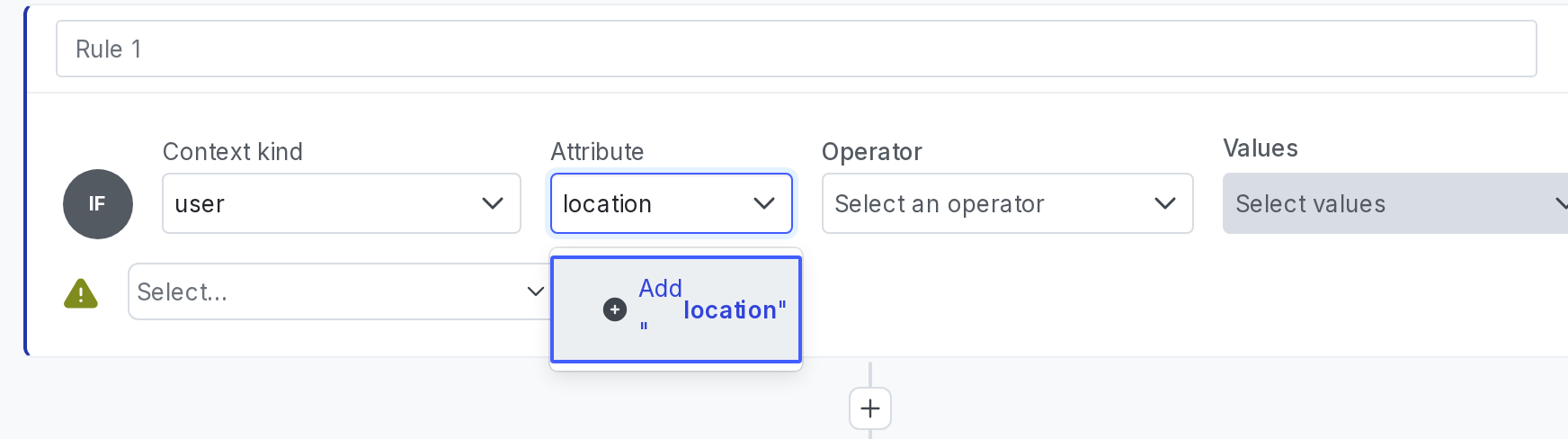
Creating a custom "Location" user context attribute from a flag's "Targeting" tab.
Set custom attribute values
The value of a custom attribute can be of the following types:- boolean
- number
- string
- array
- JSON object
Date and time attribute values
You can use date and time attributes in custom attributes. LaunchDarkly supports both of the following formats for date and time values:- A Unix timestamp, represented as an integer or string, in milliseconds since the Unix epoch
- A date-time string in [RFC 3339](https://www.rfc-editor.org/rfc/rfc
- format, such as
"2024-11-18T00:00:00Z"
before or after operator, LaunchDarkly compares these values as dates. To learn more, read Date/time and semantic version operators.
Null JSON values
null is a valid JSON type, but it is not a valid attribute value in LaunchDarkly. In LaunchDarkly, null is equivalent to the attribute being undefined. For example, in a JSON representation of a context, "name": null is equivalent to omitting the name attribute value completely. This applies to both built-in attributes and custom attributes.