

Overview
This topic summarizes what contexts are and provides resources to learn how to use them. Contexts are the upgraded version of LaunchDarkly’s existing “user” data objects. Previously, flags could only target users, which was limiting if you wanted to target organizations, devices, groups, or other entities. Contexts give you much more targeting flexibility. They let you create targeting rules for feature flags based on a variety of different information, including attributes pertaining to users, organizations, devices, and more. To learn more, read Contexts. In this topic you can learn more about:- Context kinds
- Multi-contexts
- Context instances and versions
- Context attributes, including built-in attributes and custom attributes
- Segments
- The Contexts list
- Upgrade your SDKs to use contexts
Context kinds
Each context has a context kind, which describes the type of attributes it contains. For example, you may know:- The username, first name, last name, and email address of a person. You might include these context attributes in contexts with a “user” context kind.
- The company, department, and location of an organization. You might include these context attributes in contexts with an “organization” context kind.
- The device, model, and operating system of an environment. You might include these attributes in contexts with a “device” context kind.
Multi-contexts
When you evaluate a feature flag within your application, the flag’s targeting rules can use information from more than one kind of context at the same time. Contexts that include multiple context kinds are called “multi-contexts.” Here’s an example of the “user,” “organization,” and “device” context kinds from the previous section combined into one multi-context:Context instances and versions
Any particular individual context, independent of all other relationships, is a context instance. Each context instance has a unique combination of associated contexts. For example, suppose your gym fitness app uses both organization and user contexts. This means you can target features based on the location and affiliation of each gym, and separately target features based on individual end users. If end user Sandy logs into your fitness app from two different gyms they visit, that is two different context instances. These two context instances would have the following associated user, device, and organization contexts:- user: Sandy, device: iPhone, organization: Springfield North
- user: Sandy, device: iPhone, organization: Springfield East
- user: Sandy, device: iPhone, location: Springfield North, iOS SDK instance
- user: Sandy, device: ThinkPad, location: Springfield North, Go SDK instance
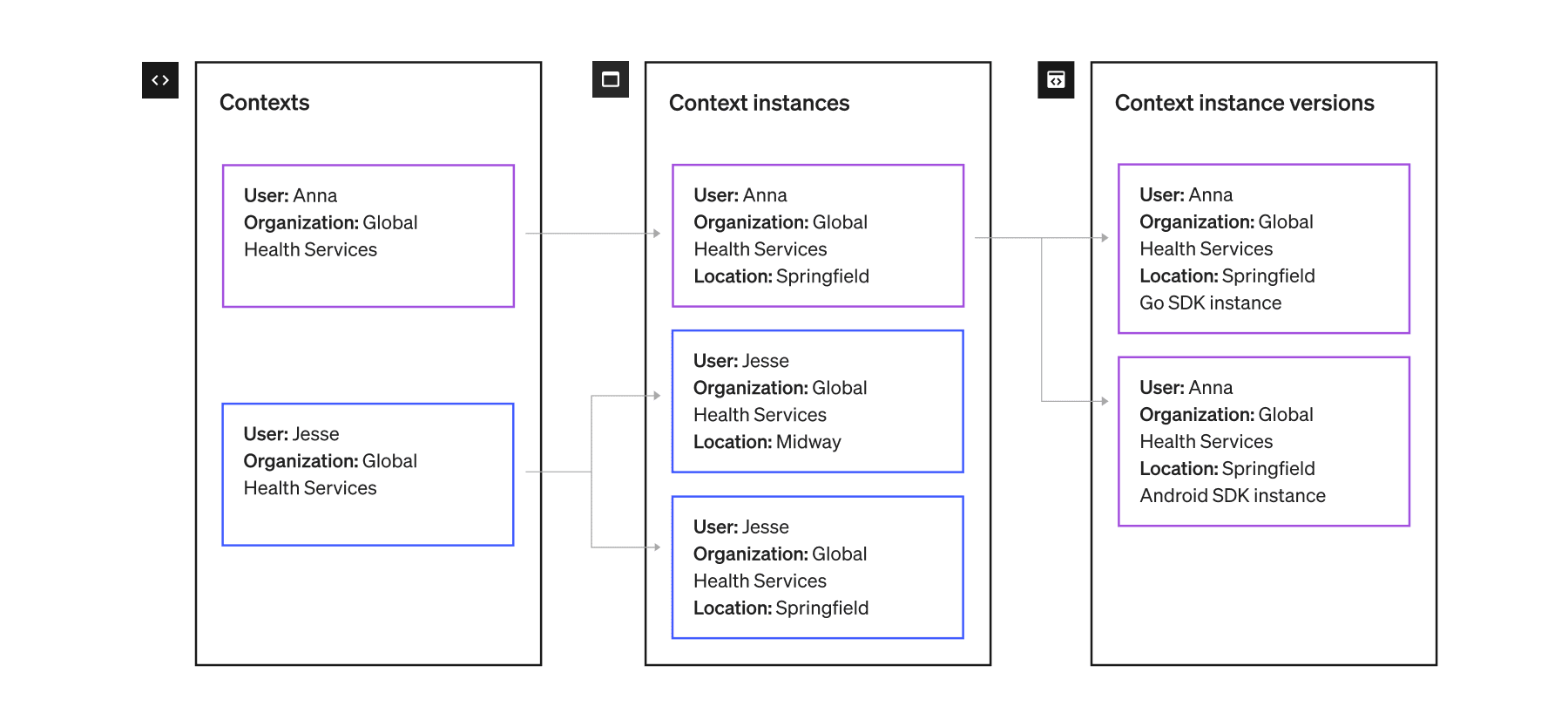
An example of associated contexts, context instances, and context instance versions.
Context attributes
Context attributes include all of the information about a context that LaunchDarkly can use in a feature flag evaluation. You can use context attributes in targeting rules for flags and rule-based segments. For example, imagine you want a flag to serve thetrue variation to user contexts that are within the United States, or false to device contexts that use iOS. You can use context attributes to accomplish this. To learn more, read Context attributes.
Built-in attributes
LaunchDarkly has the following built-in attributes for contexts:kind, key, name, and anonymous. While LaunchDarkly provides built-in attribute fields for you to fill in, the SDK does not automatically collect any information. If you want to target your users based on any built-in attributes, you must supply their values.
To learn more, read Built-in attributes.
Custom attributes
In addition to built-in attributes, you can create your own custom attributes according to your needs. To learn more, read Custom attributes. Here is an example of a user context with the built-in attributes ofkey, kind, and name, and the custom attributes of country and beta-tester:
Segments
Segments let you target groups of contexts individually or by attribute. Segments are useful for keeping groups of contexts, likebeta-users or enterprise-customers, up to date. They allow you to more quickly turn features on or off for certain groups with confidence.
You can define which contexts belong to a segment in several ways:
- Use targeting rules. For example, include all contexts with an email attribute that ends in
.edu. - Upload a list of context keys. For example, upload a CSV file of customer emails collected for beta testing.
- Sync a list of context keys from a third-party application. For example, import a customer list maintained in another system.
The Contexts list
The Contexts list shows you all of the contexts that have encountered feature flags in your application. You can select any context to view its context details page. To learn more, read The Contexts list. Here is an image of the Contexts list: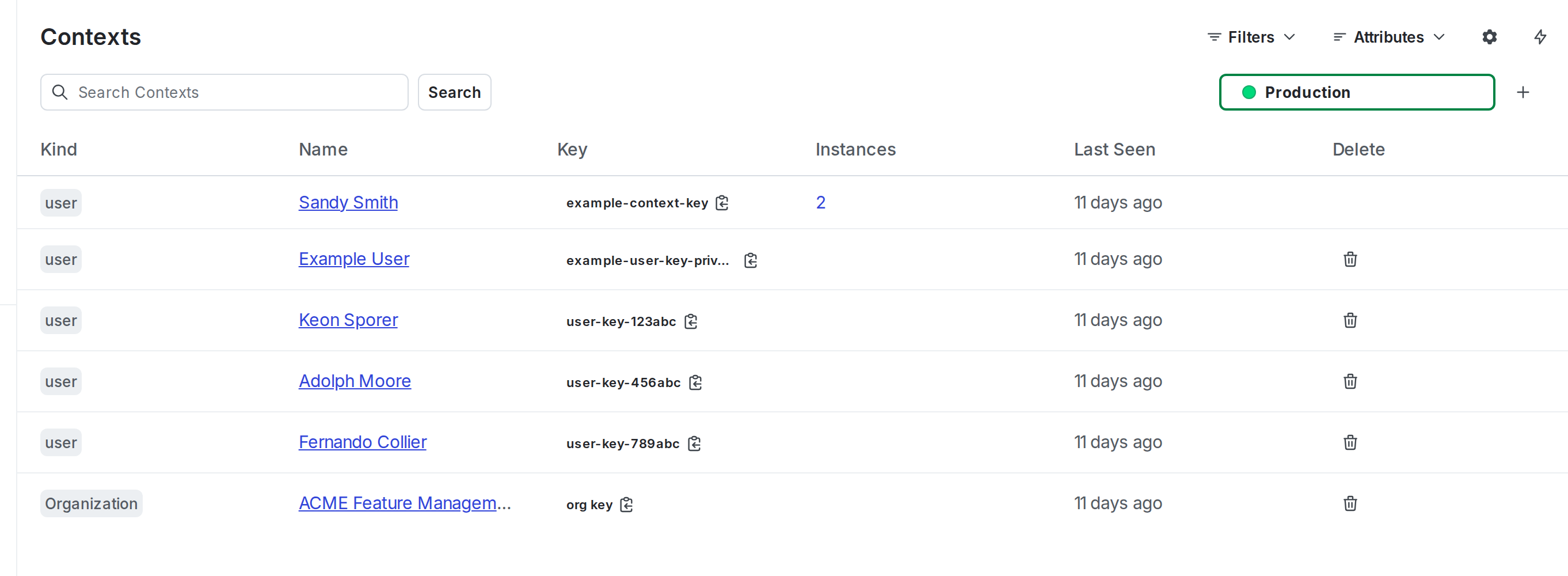
The "Contexts" list.
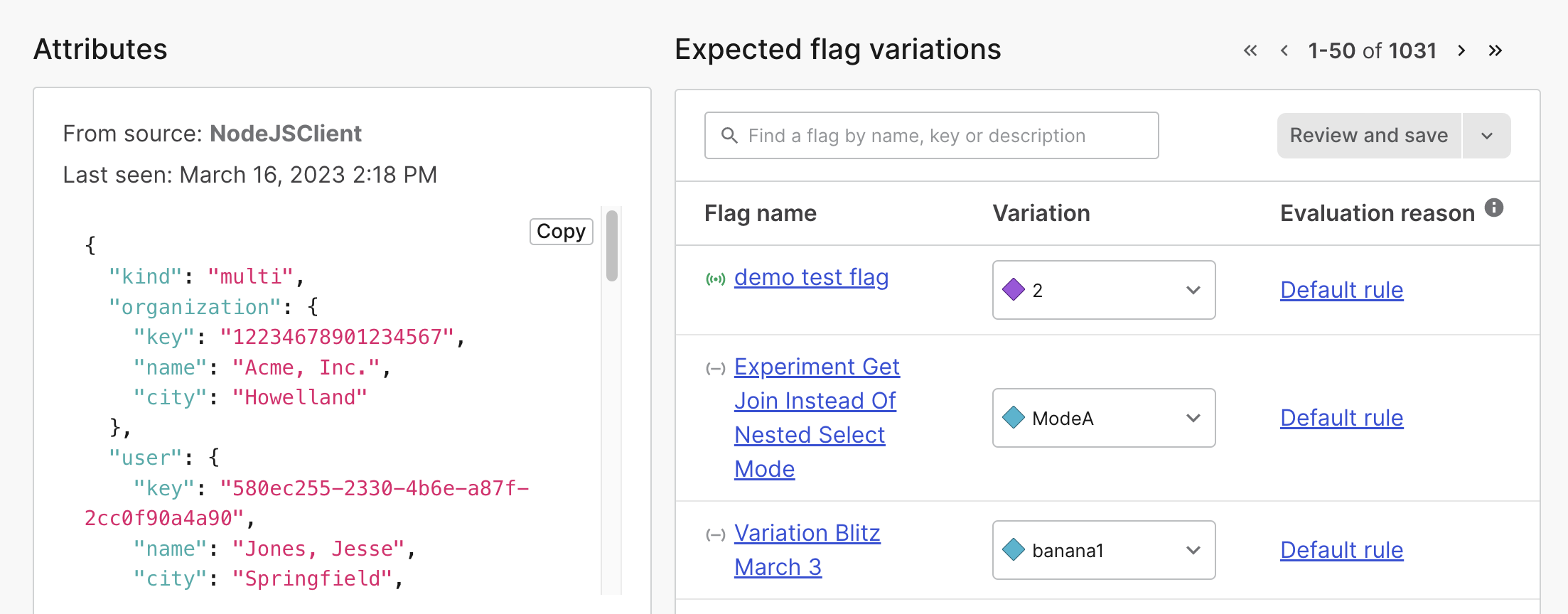
A context's details page.