

Overview
This topic explains how to view and copy SDK credentials and environment keys.SDK credentials
You can view, copy, or reset certain SDK credentials for an environment from the “Resources” section of the help menu, or from the Environments list. SDK credentials include the SDK key, mobile key, and client-side ID. You need one of these credentials when you set up your SDK. Which credential you need depends on which SDK you use:- SDK keys: Use with server-side and AI SDKs. SDK keys should be kept secret. If an SDK key is exposed, you can reset it. SDK keys always start with the prefix
sdk-. - Mobile keys: Use with client-side SDKs designed for mobile. Mobile keys do not need to be kept secret. However, if you wish to reset a mobile key, you can. Mobile keys always start with the prefix
mob-. - Client-side IDs: Use with JavaScript-based client-side SDKs and edge SDKs. The client-side ID does not need to be kept secret and cannot be reset. Client-side IDs are alphanumeric, and do not contain dashes.
Environment keys
Environment keys are unique to a specific project and environment. You may need the environment key when configuring certain integrations. Environment keys are based on the environment name. You can configure an environment key when you create the environment. Environment keys are permanent and you cannot reset them.View or copy keys and credentials
To view or copy an environment’s key, SDK key, mobile key, or client-side ID:- Click the ? in the left navigation. The help menu appears.
- In the “Resources” section, click SDK keys. The “SDK keys” page opens.
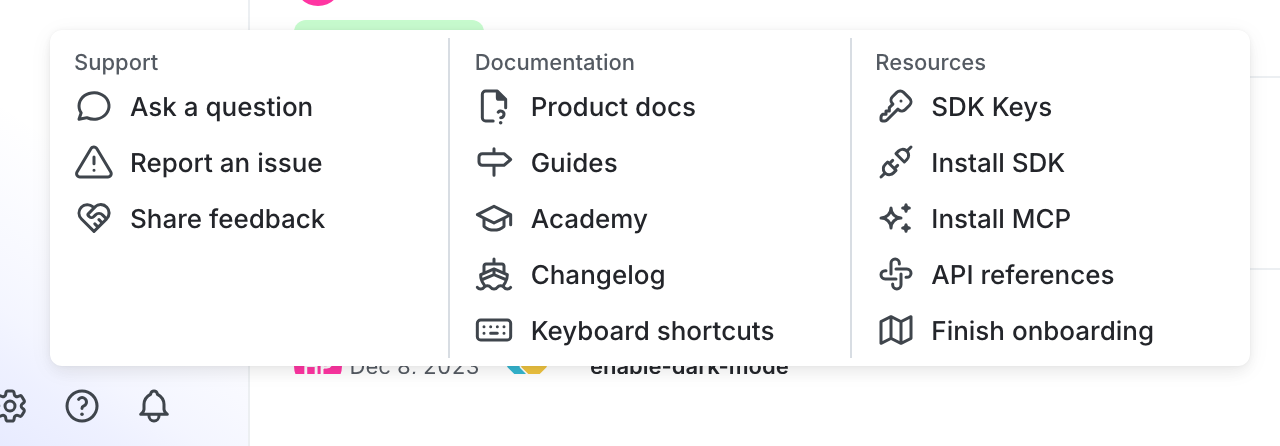
The SDK keys option in the help menu.
- Using the dropdown menus, search for and select the project and environment for which you want to view or copy a credential.
- The SDK credentials are hidden by default. To reveal a credential, click the eye icon.
- Click the clipboard icon to copy a credential to your clipboard.