

Overview
This topic explains how to add, remove, and move flags between existing release pipelines. After you have created a release pipeline, you are redirected to the releases view to add your first flags to the pipeline. You can add only boolean flags to release pipelines.Add flags to release pipelines
To add a flag to a release pipeline:- From the flags list, navigate to the boolean flag you want to add to a release pipeline.
- Click Start release in the right sidebar. If there is more than one release available, select the release you want to add the flag to.

The "Start release" option.
You can also use the REST API: Create a new release for flag
Begin phases
After you have set up the automation for each of your phases, you can begin a phase for an individual flag. This activates the automation within that phase for that flag. To begin a phase for a flag:- From the flag’s right sidebar, find the phase you want to begin.
- Click the start arrow for the phase. A “Start phase” dialog appears
- Click Start.
- If the phase includes an approval, starting the phase sends an approval request to toggle the flag on. When the approval request is approved and applied, then LaunchDarkly automatically toggles the flag.
- If the phase includes a guarded rollout, starting the phase automatically begins the monitoring process for the traffic allocation and duration specified in the phase.
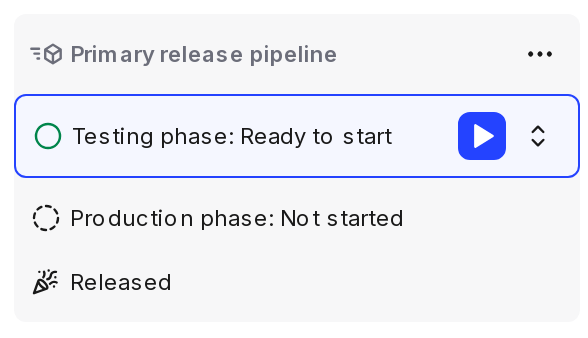
A release pipeline's phases in a flag's sidebar.
You can also use the REST API: Update phase status for release
Move flags between release pipelines
If a flag is already assigned to a release pipeline, you can move it to another pipeline. To move a flag:- From the flag’s right sidebar, click the three-dot overflow menu for the release.
- Hover over Move to pipeline and select the release you want to move the flag to.
- Enter the name or key of the release to confirm.
- Click Move.
Remove flags from release pipelines
To remove a flag from a release pipeline, navigate to the flag’s right sidebar, click the three-dot overflow menu for the release, and then click Cancel release.You can also use the REST API: Delete a release for flag