

Overview
This topic explains how to use LaunchDarkly’s observability features to trace session activity through your application. Traces let you filter on spans of traces in your product based on a query. The Traces view shows a summary of traces, including the number of traces and the latency associated with them over time.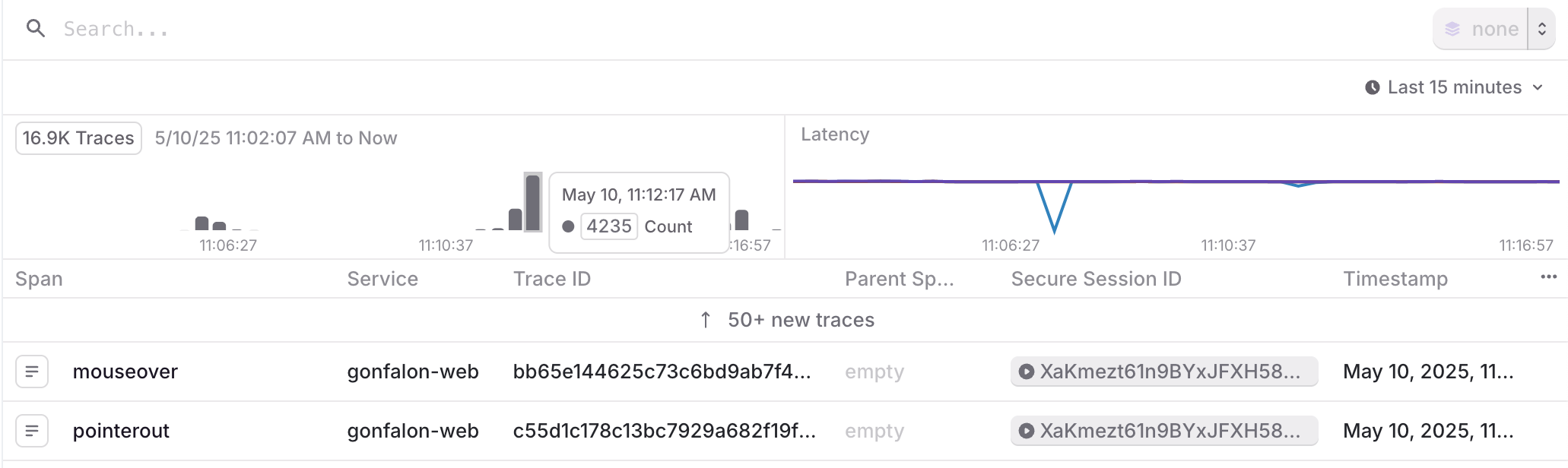
A detailed view of a log entry.
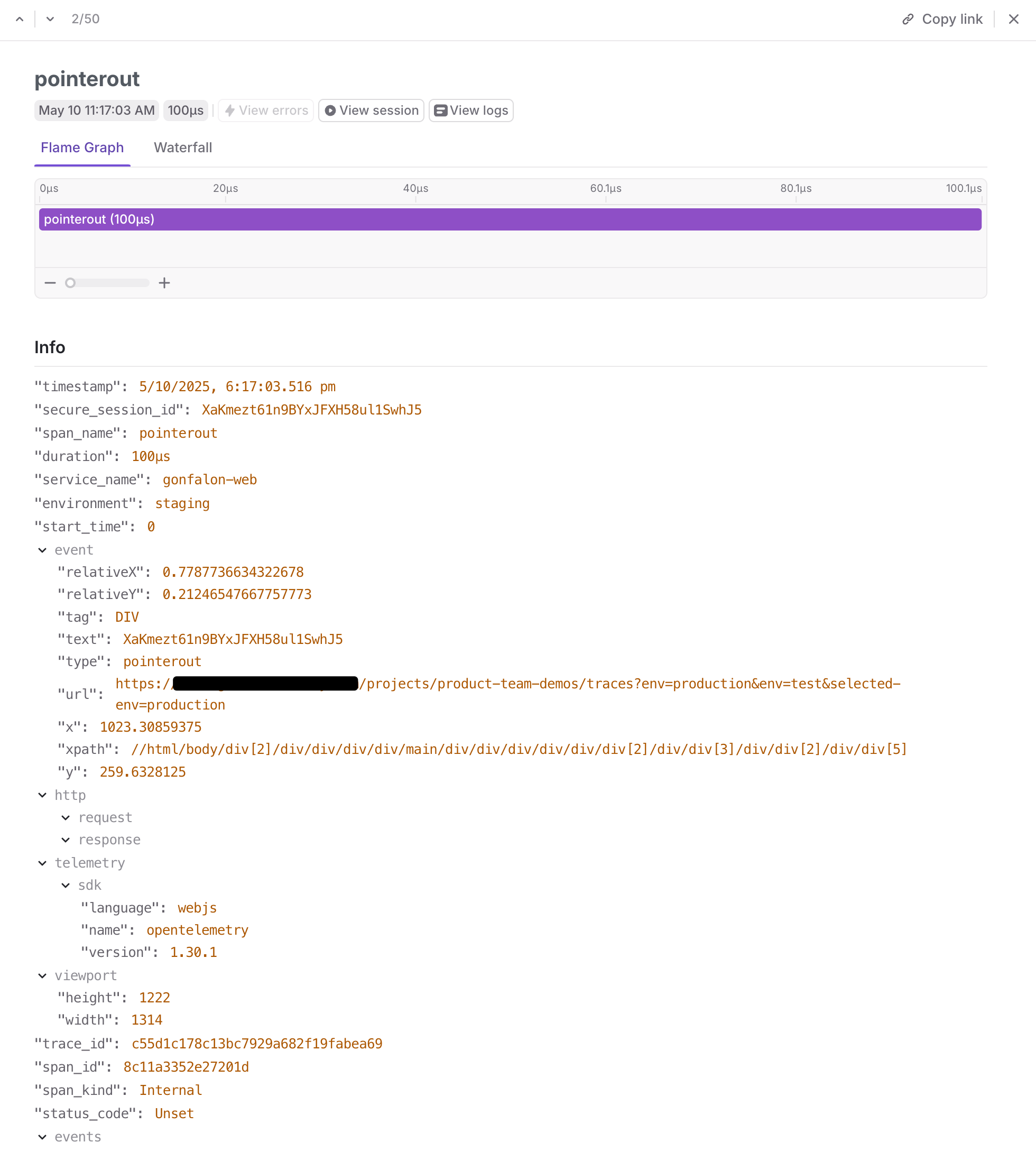
A detailed view of a log entry.
Get started
To instrument your application to capture traces, read the documentation on Observability SDKs. The functionality is available through plugins to the LaunchDarkly JavaScript SDK. To view traces:- In the left navigation, expand Observe.
- Click Traces.
- Select a trace from the list.
Search
To learn more about the search specification for the Traces view, read Search specification. When you search on the Traces view, the following behaviors apply by default:- The default search key is
span_name. For example, if you enter an expression without a key, such assearch-term, then LaunchDarkly automatically expands that tospan_name=*search-term*.
Search attributes
By default, the observability SDK plugin automatically injects the following attributes to provide additional help with searching for traces: | Category | Attribute | Description
| ---
| ---
| --- |
| Feature flag
|
feature_flag
| Produces a list of spans that are associated with a feature flag. You can refine results with the following additional attributes: context.id , contextKeys , key , provider.name , result.reason.inExperiment , result.reason.kind , result.value , set.id , and .variant .
| true |
| Service or application
| environment
| The environment key, based on the SDK credentials used in the Observability SDKs .
| production |
| secure_session_id
| Session ID that contains the span.
| wh1jcuN5F9G6Ra5CKeCjdIk6Rbyd |
| service_name
| Name of the service specified in the SDK plugin. To learn more, read Versioning sessions and errors .
| private-graph |
| service_version
| Version of the service specified in the observability SDK plugin. To learn more, read Versioning sessions and errors .
| e1845285cb360410aee05c61dd0cc57f85afe6da |
| Trace properties
| duration
| Time length of the span. Defaults to nanoseconds. Use s , m , or h suffixes to designate seconds, minutes, or hours.
| 10s |
| has_errors
| Whether the span has an error tied to its ID.
| true |
| parent_span_id
| Span ID of the span’s parent.
| 327611203ec5b0a1 |
| span_kind
| Broad source of the span.
| Browser |
| span_name
| Title of the span.
| POST https://app.launchdarkly.com |
| trace_id
| Trace ID of the spans.
| 7654ff38c4631d5a51b26f7e637eea3c |