

Engineering insights is only available to customers on select plans. To learn more, read about our pricing. To upgrade your plan, contact Sales.
Overview
This topic explains how to use the engineering insights Overview page to evaluate LaunchDarkly project health at a high level. The Overview page displays a quick view of all of your projects and their project health. To view the Overview page, click Overview in the project summary header:
The "Overview" link in the project summary.
- Excellent: 90-100
- Good: 70-89
- Fair: 40-69
- Needs attention: 0-39Hover over a project to view the individual velocity, risk, and efficiency scores for the project:
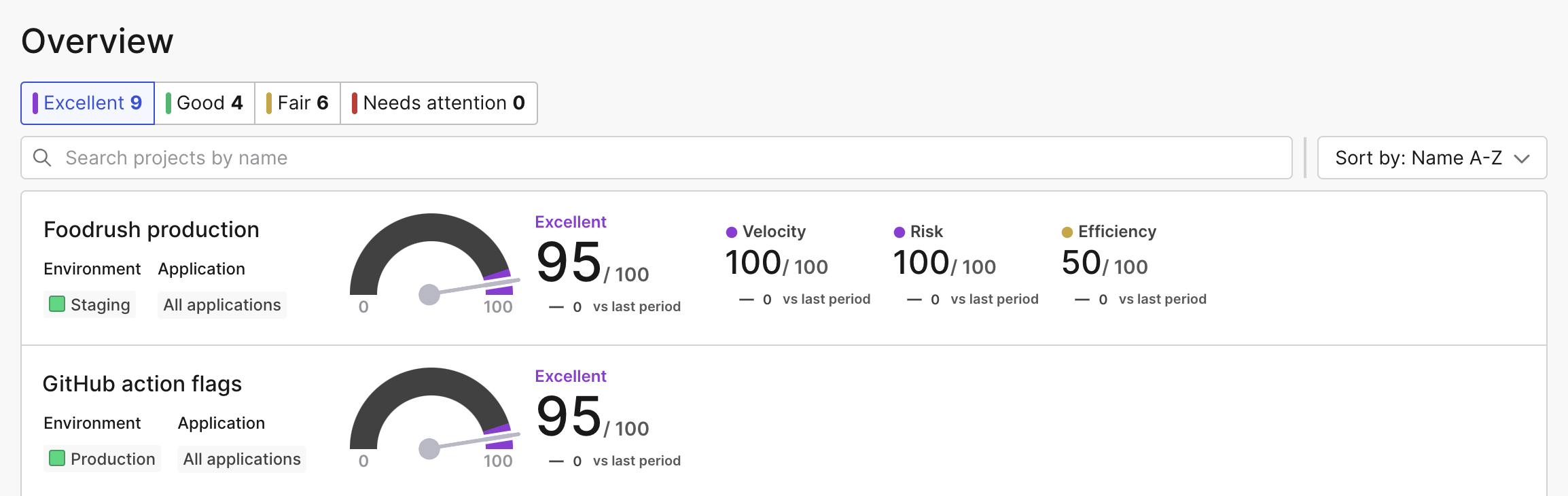
The projects list sorted by the "Excellent" rating with project health scores displayed.
- Velocity: calculated using your project’s deployment frequency and lead time
- Risk: calculated using your project’s failure rate and change impact size
- Efficiency: calculated using your project’s flag health and Experimentation rate, if applicableClicking on a project row opens the project metrics summary with your chosen project selected. To learn more, read Project metrics.
Custom insights
Custom insights let you quickly view and compare insights for selected projects, environments, and applications. After you create a custom insight, you can compare it to other insights from the Overview page. This helps simplify the comparison of projects or teams across your organization. For example, if you have multiple teams working on a project, you can create two different custom insights with a specific set of applications for the front-end team, and a different set of applications for the back-end team. To create a custom insight:- Navigate to the Overview page.
- Click + Add insights. A “Create new insight” dialog appears.
- Enter a unique, human-readable Name.
- Enter a Key.
- Select a Project.
- Select an Environment.
- Select one or more Applications.
- Click Save.The insight appears at the top of the Insights list:
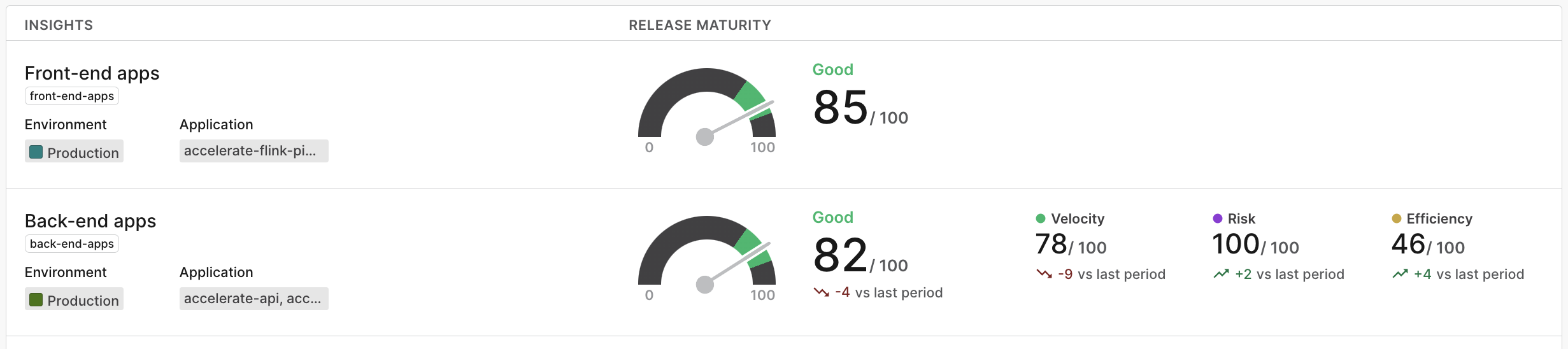
Two custom insights in the "Insights" list.