

Overview
This guide explains how using LaunchDarkly with external tools enhances your team’s ability to collaborate, track performance, manage workflows, and react when issues arise. LaunchDarkly offers many integrations with third-party services that let your existing tools work in concert with your feature flagging practices.Types of integrations
LaunchDarkly’s integrations span the following categories:- Code references
- Collaboration tools
- Data Export destinations
- Edge tools
- Environments as a service
- Experimentation and metric integrations
- Integrated development environment (IDE) connectors
- Internal developer platform (IDP) integrations
- Observability tools
- Workflow management tools
- Other developer toolsFor a list of all supported integrations, visit the Integrations page in your LaunchDarkly app by clicking the gear icon in the left sidenav, then Integrations, or read the Integrations documentation. To learn about common problems integrations can help solve, read Integrations use cases.
Code references
The LaunchDarkly code references tool integrates with your continuous integration (CI) tool to identify where LaunchDarkly flags occur in your code.A best practice for managing feature flags is archiving flags you no longer need. Identifying where those flags are referenced in code can be difficult, especially if you have more than one repository to search through. Code references help solve this. When using code references, you can view a flag’s Code references tab to find out everywhere that flag appears in your code. Here is an image of the code references tab: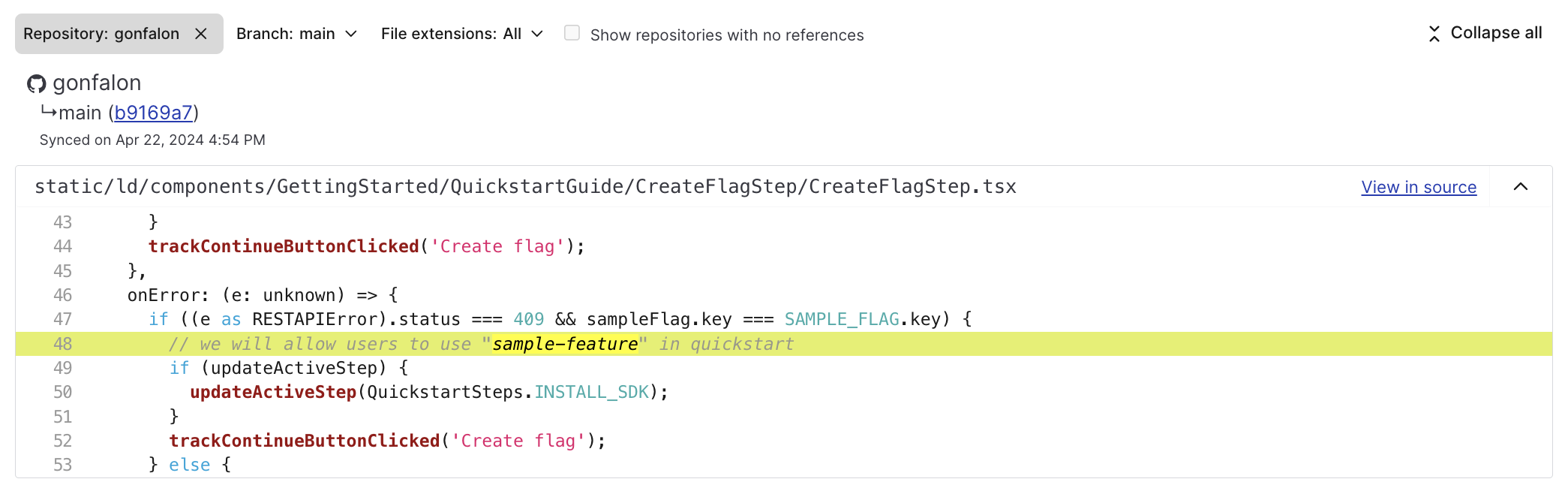
The code references tab for a feature flag.
- Bitbucket code references
- CircleCI code references
- Custom configuration with ld-find-code-refs
- GitHub code references
- GitLab code references
Collaboration tools
When teams are distributed, it is useful to be able to centralize information about your feature flags in messaging and collaboration tools that many teams in your organization use. We have integrations that allow LaunchDarkly to send notifications and give authorized members the ability to trigger flag changes from different apps. Here is an example of an approval request in Slack:
An approval request in Slack.
Data Export destinations
Data Export allows companies to do extremely detailed and rich analysis of flag evaluations and behavior. You can export a configurable log stream to a destination such as Amazon Kinesis, Google PubSub, or others. To learn more, read Data Export.Edge tools
You can use LaunchDarkly with several edge providers. This eliminates the initial remote call to LaunchDarkly, providing zero-latency client-side feature flags with no flash of original content or shift in content layout. This means you can use your LaunchDarkly flags without an added latency from network requests. To use each of these integrations, you also need to use the corresponding LaunchDarkly edge SDK. To learn more, read Edge SDKs. LaunchDarkly integrates with the following edge providers:Environments as a service
Organizations that use ephemeral environments for development and testing need feature management specific to their ephemeral environment. This gives developers control of application features independent of other environments. It minimizes the risk of toggling features impacting other development efforts. LaunchDarkly integrates with the following environment as a service (EaaS) providers:Experimentation and metric integrations
LaunchDarkly provides integrations with several third-party applications related to Experimentation, which you can use in conjunction with the LaunchDarkly Experimentation product. LaunchDarkly integrates with the following Experimentation tools:Integrated development environment (IDE) connectors
You can use LaunchDarkly with your preferred IDE to do things like autocomplete feature flag keys, view lists of feature flags, and update flag settings. Here is an example of the LaunchDarkly VSCode extension: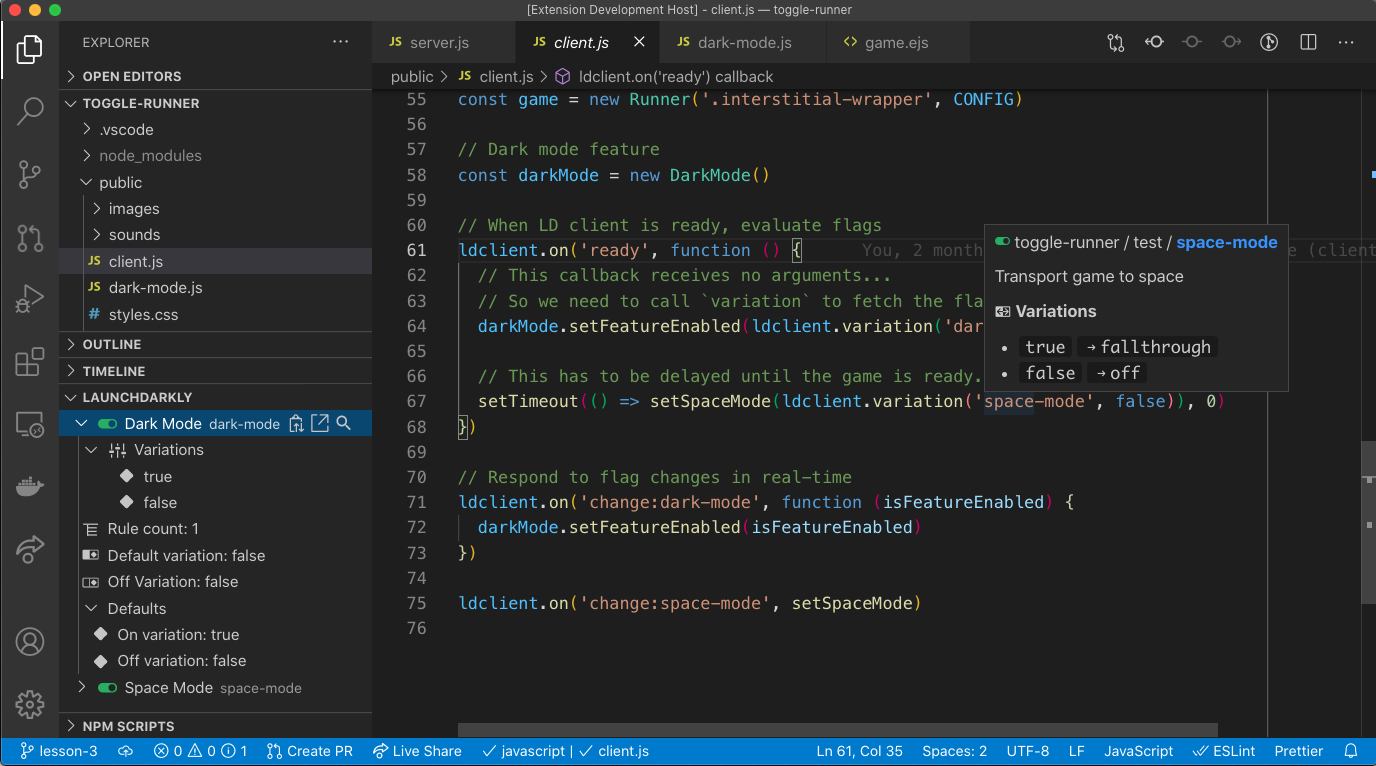
The LaunchDarkly VSCode extension
- IntelliJ IDEA
- LaunchDarkly extension for GitHub Copilot
- Visual Studio Code (VSCode)
- Flag cleanup custom agent for GitHub Copilot
Internal developer platform (IDP) integrations
LaunchDarkly integrates with the following IDPs:Observability tools
LaunchDarkly offers integrations with many monitoring, observability, and application performance management (APM) tools. Many software teams use these tools to identify anomalies. These integrations make it possible to surface flag change events and display them in context with other events or metrics being monitored and tracked inside the corresponding tool. You can even use tools like these to catch when bugs are introduced by your feature flagging practices. Here is an example of the Honeycomb dashboard: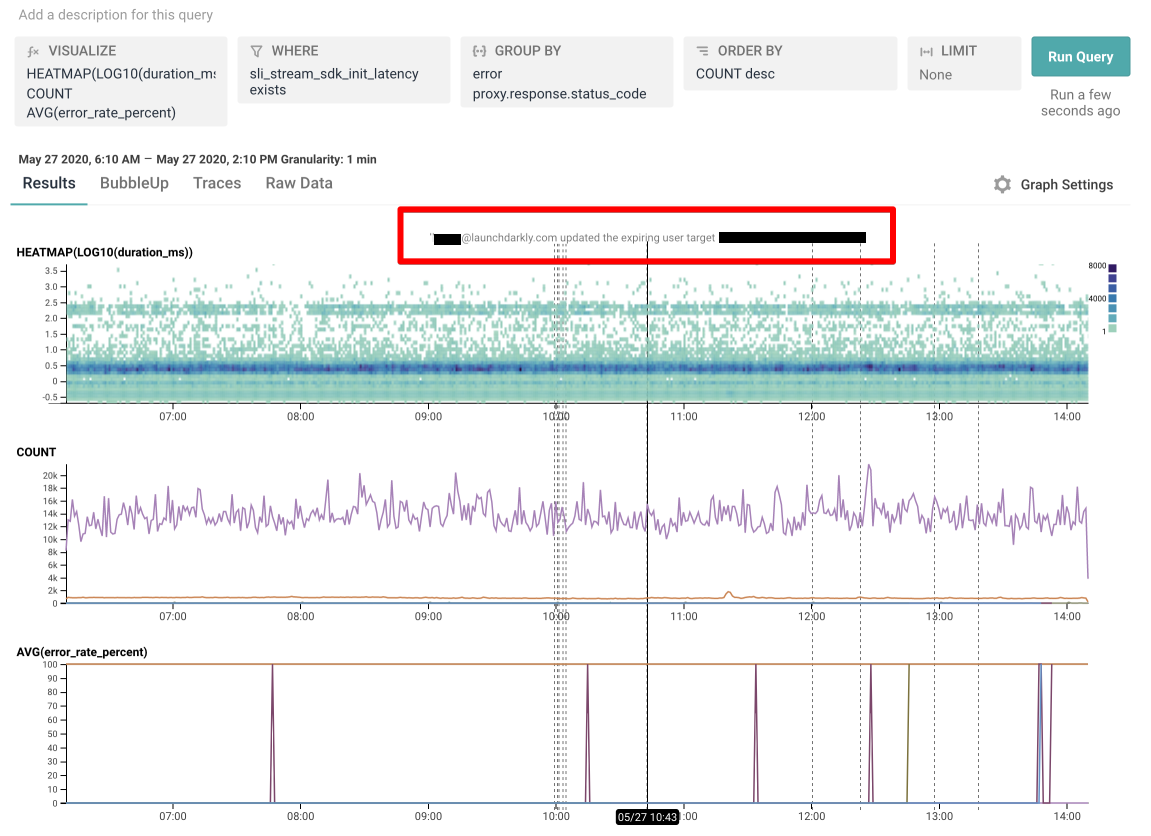
A Honeycomb events graph showing LaunchDarkly flag change events, with a flag event called out.
- AppDynamics
- AWS CloudWatch Metrics
- AWS CloudWatch RUM
- Chronosphere
- Datadog
- Dynatrace
- Elastic (ELK) Stack
- Grafana
- Honeycomb
- Last9
- Mezmo
- New Relic One
- OpenTelemetry for server-side and client-side SDKs
- PagerDuty for guarded rollouts
- Splunk
- Splunk Observability Cloud (formerly SignalFx)
Workflow management tools
LaunchDarkly has integrations that support common engineering workflows and tools. It is useful to be able to control features and feature flags from external project management tools. For example, you can associate an existing flag with a project ticket, and the flag is turned on when the ticket is approved. Here is an example of a feature flag in a Trello card: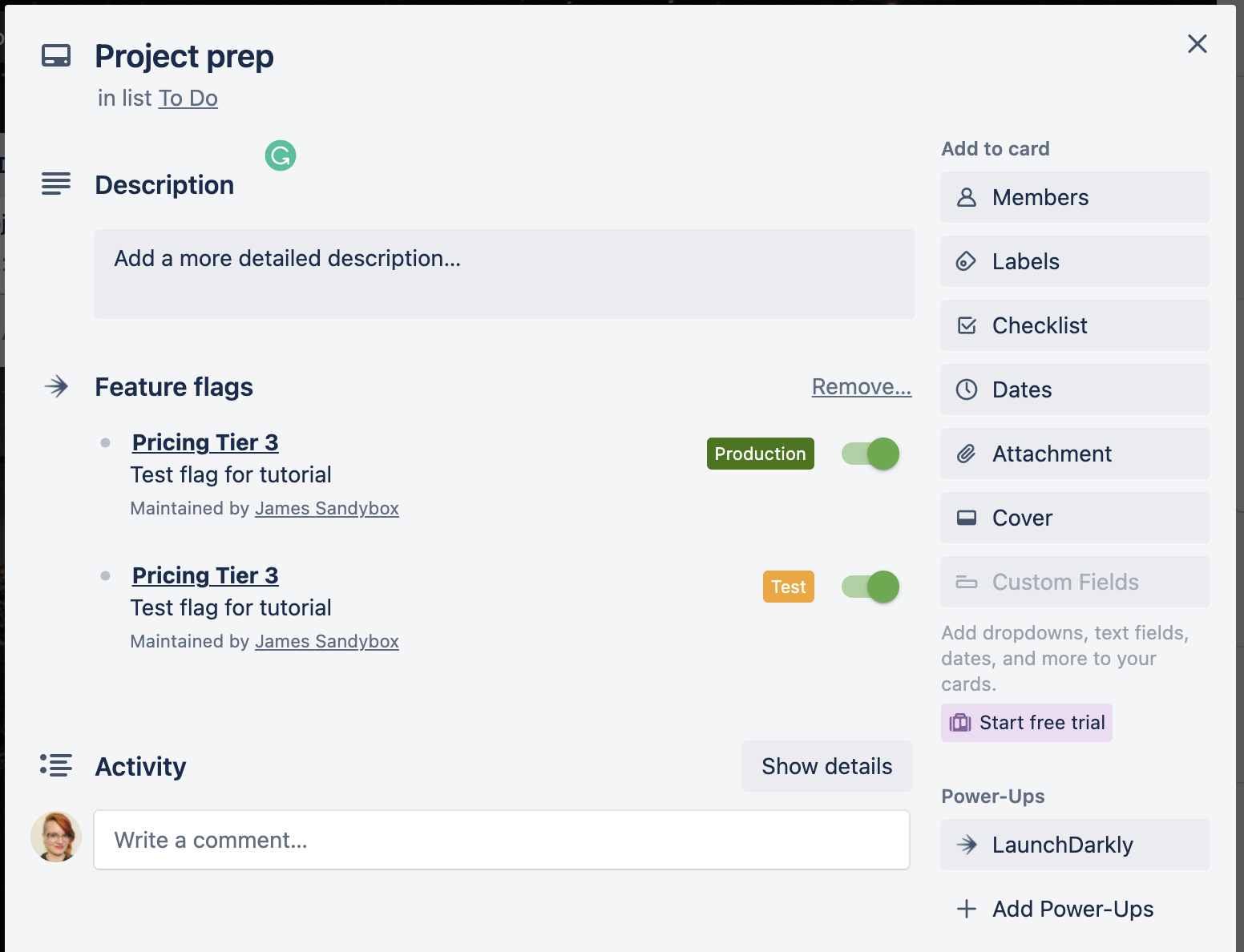
Feature flags in a Trello card.
Other developer tools
Developer tools are where developers do much of their daily work, so we built integrations that allow you to do things like schedule ring deployments or perform internal testing directly from your tools. LaunchDarkly integrates with several productivity apps, management apps, and developer tools:- Ansible Collection
- AWS CloudTrail Lake
- AWS PrivateLink
- Bitbucket Pipelines
- Bitrise Release Management
- CloudQuery
- Convex
- Ditto
- FullStory
- GitHub Actions
- Kosli
- ngrok
- Osano
- Terraform
- Zendesk