

The Release integration is only available to customers on select plans. To learn more, read about our pricing. To upgrade your plan, contact Sales.
Overview
This topic explains how to use the LaunchDarkly Release integration. Release is a product that lets you implement Kubernetes in your cloud and create production-like environments on pull requests or for quality assurance (QA), sales environments, and more.The Release integration was built by and is managed by Release. For questions about the integration or for technical support, contact Release.
Prerequisites
To complete this procedure, you must have the following prerequisites:- Have a Release account.
- Have a personal or service API access token. To learn more, read API access tokens.
Configure the integration
To configure the LaunchDarkly integration, you must add it to your Release account and connect it to LaunchDarkly. To set up the integration:- Log in to your Release account.
- Navigate to Manage Accounts.
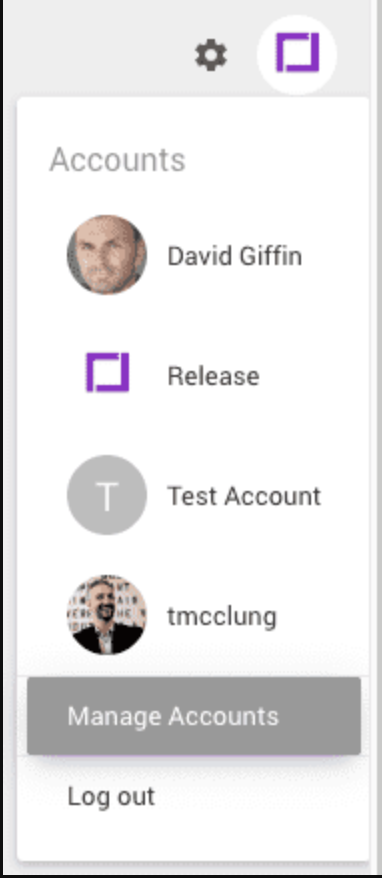
The Accounts menu with "Manage Accounts" selected.
- Choose your account.
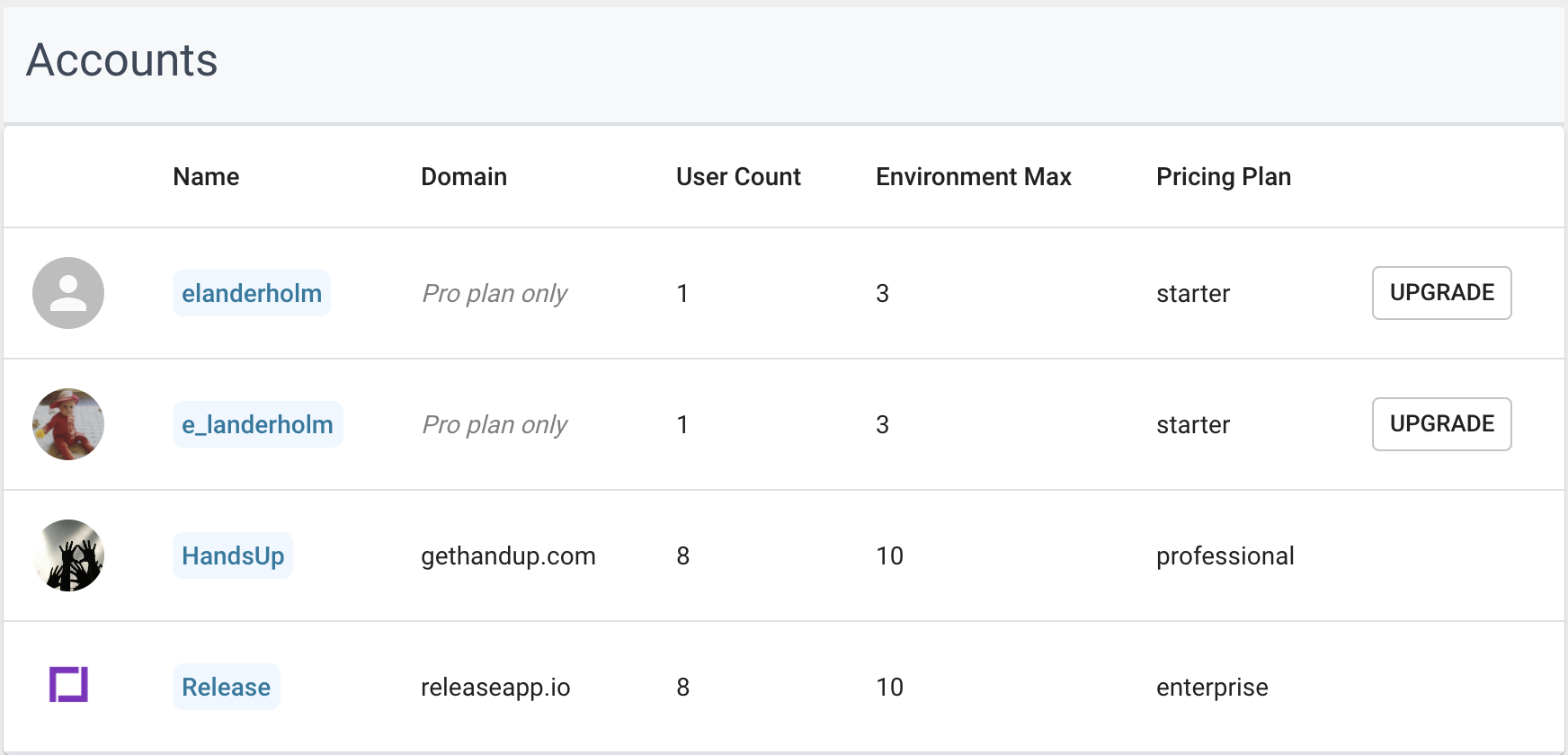
A list of available accounts.
- Choose Integrations and find “LaunchDarkly” in the “Available Integrations” section.
- Click Setup. The setup form appears.

The Integrations menu.
- Project Key: This is the key for the project where you wish to create environments. The default value is default, because LaunchDarkly always has a project with key default.
- Access Token: This is the API access token for the account under which you would like Release to create environments in LaunchDarkly.
- Environment Variables: The last three form elements define the names of the environment variables where Release stores the API keys from LaunchDarkly. You can change them to anything you like. Release uses these environment variables to store API keys as Kubernetes secrets.
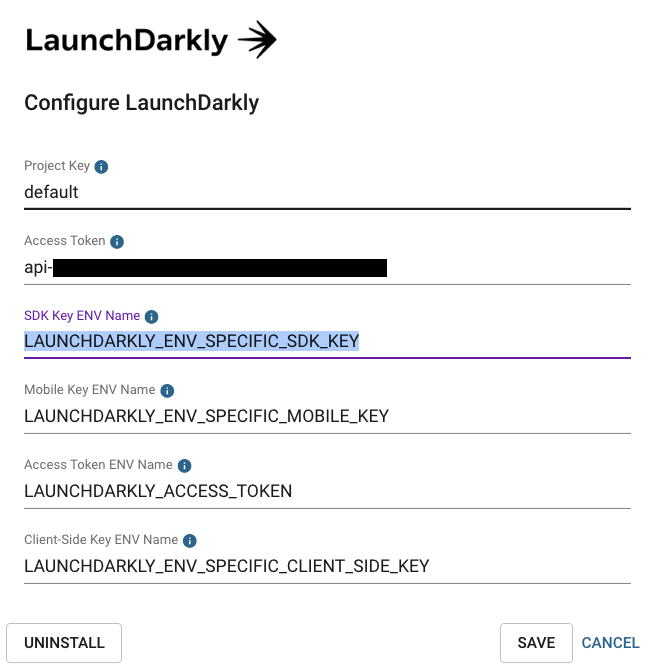
An example LaunchDarkly configuration.
Use Launch
Darkly with the Release integrationThe integration can take two actions, both of which are automated and handled by Release.- Pre-Deployment step: This step adds a task to each of your deployments to create the feature flag environment.
- Pre-Delete step: When you delete an environment, this step deletes the environment in LaunchDarkly.
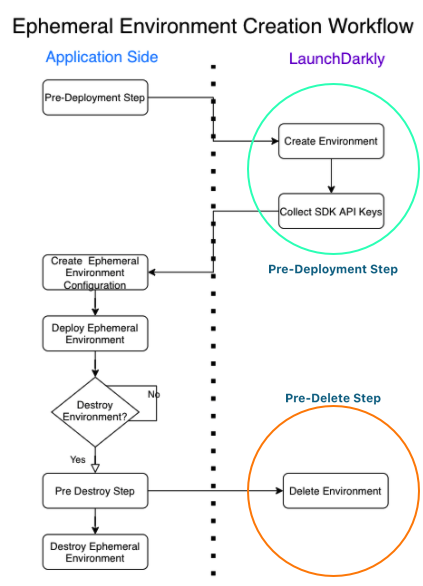
A diagram of the environment creation workflow.
The Pre-Deployment step
The Pre-Deployment step occurs when you first deploy a space or a new configuration. It creates the environment in LaunchDarkly only the first time it runs.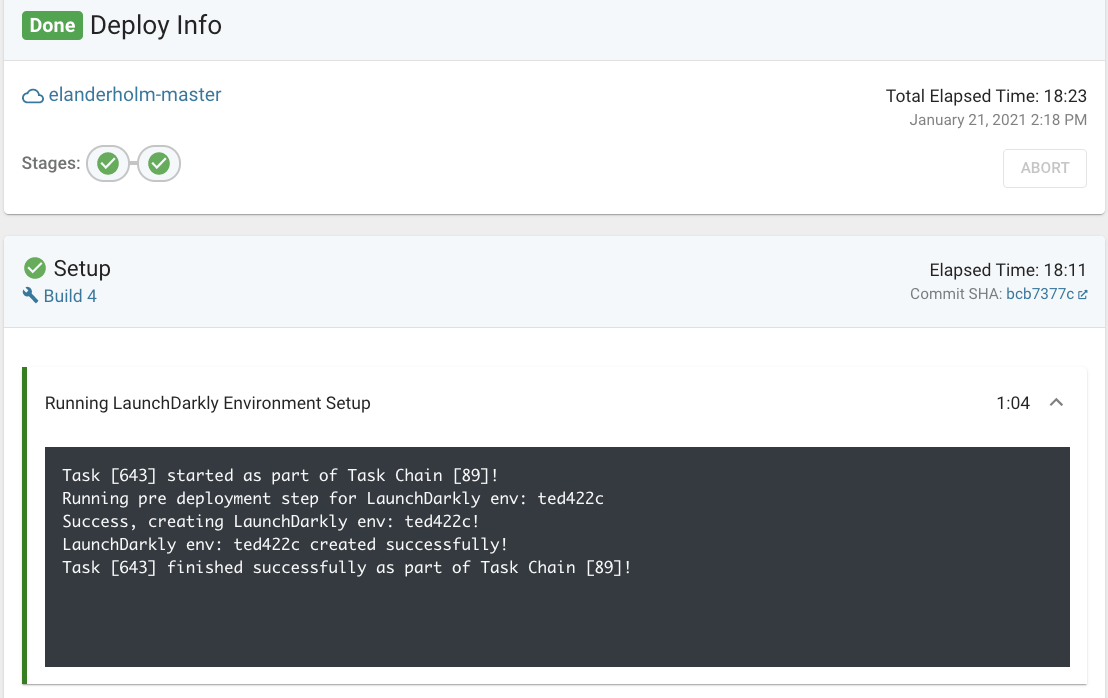
A completed Pre-Deployment step in Release.
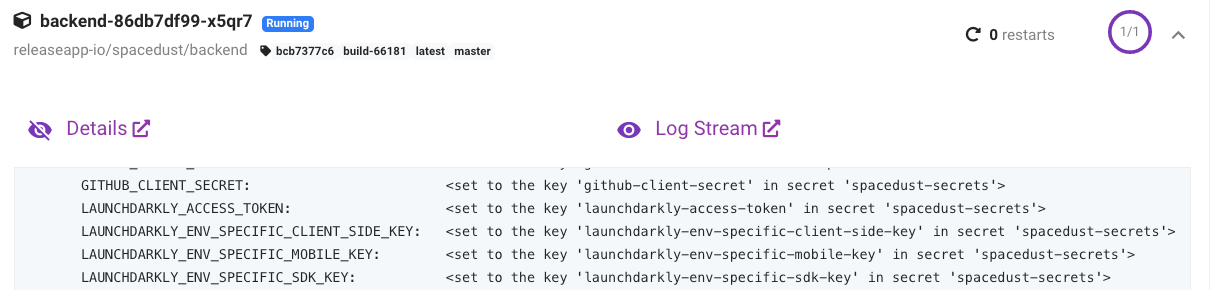
LaunchDarkly-specific environments as Kubernetes secrets.