

Overview
This topic explains how to start recording an experiment iteration and stop the experiment iteration when you’re finished. To learn more about running experiments, read Managing experiments.Start experiment iterations
After you create an experiment and toggle on the flag, you can start an experiment iteration in one or more environments. To start an experiment iteration:- Navigate to the Experiments list.
- Click on the environment section containing the experiment you want to start.
- If the environment you need isn’t visible, click the + next to the list of environment sections. Search for the environment you want, and select it from the list.
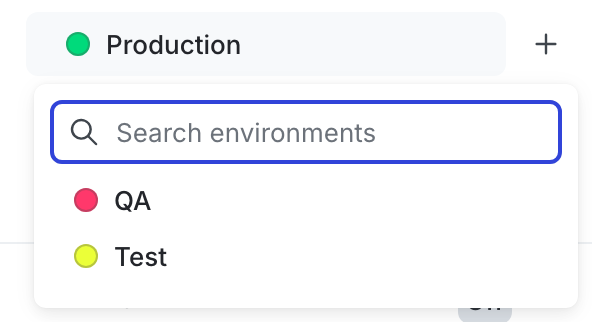
The environment selection menu.
- Click on the name of the experiment you want to start an iteration for. The Design tab appears.
- Click Start.
- Repeat steps 1-4 for each environment you want to start an iteration in.

An experiment with the "Start" button called out.
You can also use the REST API: Create iteration
Stop experiment iterations
If you need to make changes to your experiment, you can stop your experiment iteration.If you stop an experiment iteration, and then later start a new iteration, LaunchDarkly reshuffles traffic into new variations. To learn more, read Variation reassignment.
- Navigate to the experiment’s Results tab.
- Click Stop. The “Ship” menu appears.

An experiment with the "Stop" button called out.
- Select the winning variation to ship to all contexts that match the flag’s targeting rule. A “Stop experiment” dialog appears.
- Enter a Reason for stopping.
- Click Stop experiment.
You can also use the REST API: Patch experiment