

Part 3: Advanced configuration and persona-based targeting
Now, you can explore advanced targeting capabilities by creating persona-based variations. This demonstrates how to deliver different AI experiences to different user segments. To learn more about targeting capabilities, read Target with AI Configs.Step 3.1: Create persona-based variations
Create three persona variations in LaunchDarkly:-
Navigate to your
simple-configAI Config. - Click the Variations tab.
-
Click Add Variation and add a business persona:
- Variation Name:
business - Model:
claude-3-haiku-20240307 - System Prompt:
- Variation Name:
- Temperature:
0.4
- Repeat the process for a creative persona variation:
- Variation Name:
creative - Model:
chatgpt-4o-latest(OpenAI) - System Prompt:
- Variation Name:
- Temperature:
0.9
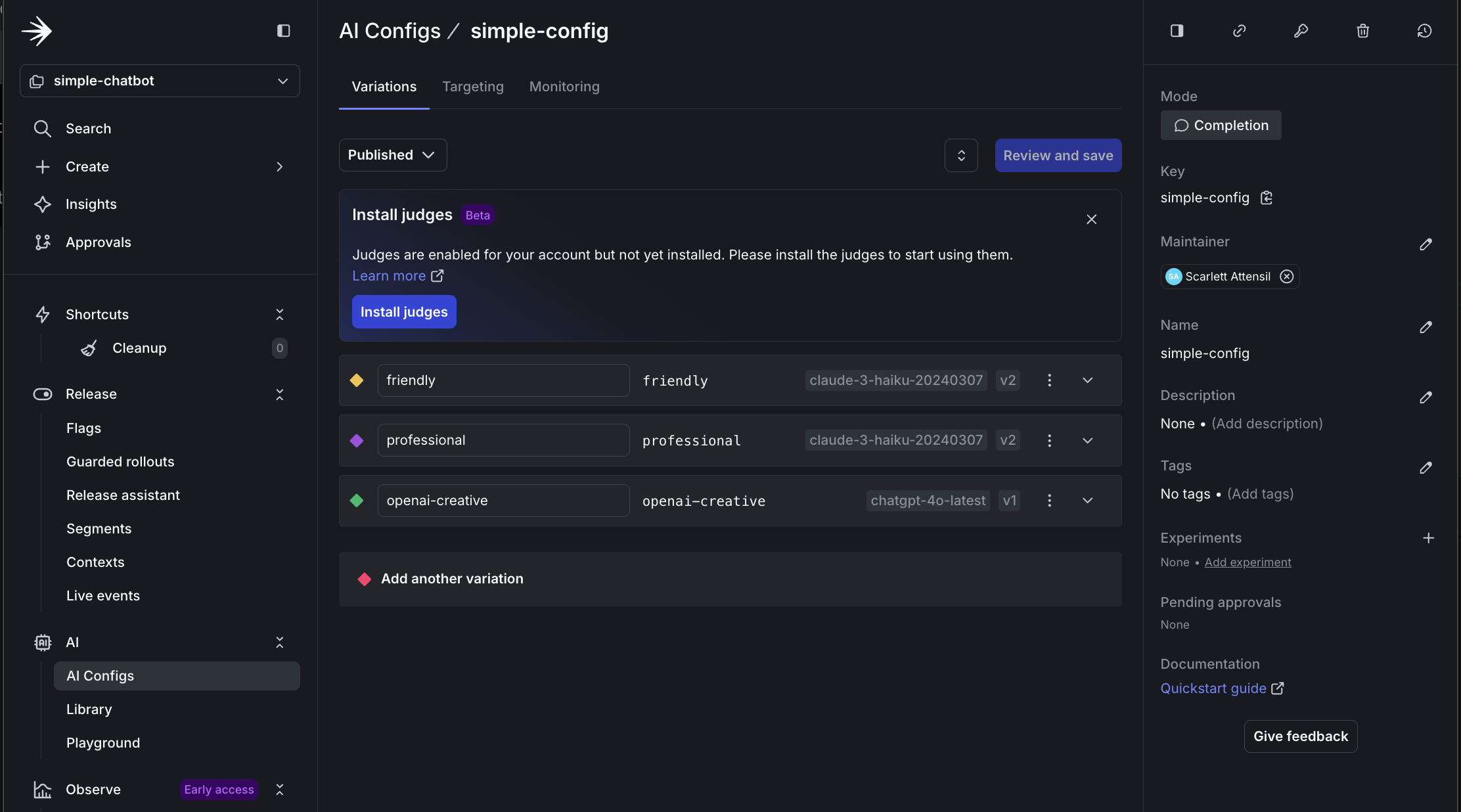
Creating persona-based variations in LaunchDarkly
Step 3.2: Configure persona-based targeting
Now, configure persona-based targeting:- Navigate to the Targeting tab for your
simple-config. - Click Edit.
- Click + Add Rule.
- Select Build a custom rule.
- Add a Rule Name of
Persona-based targeting. - Configure the rule:
- Context Kind: User
- Attribute:
persona - Operator:
is one of - Values:
business - Serve:
businessvariation
- Repeat for the creative persona:
- If
personais one ofcreative, servecreative.
- If
- Set the Default rule to serve
friendly. - Click Review and save.
- Add a comment and confirm.
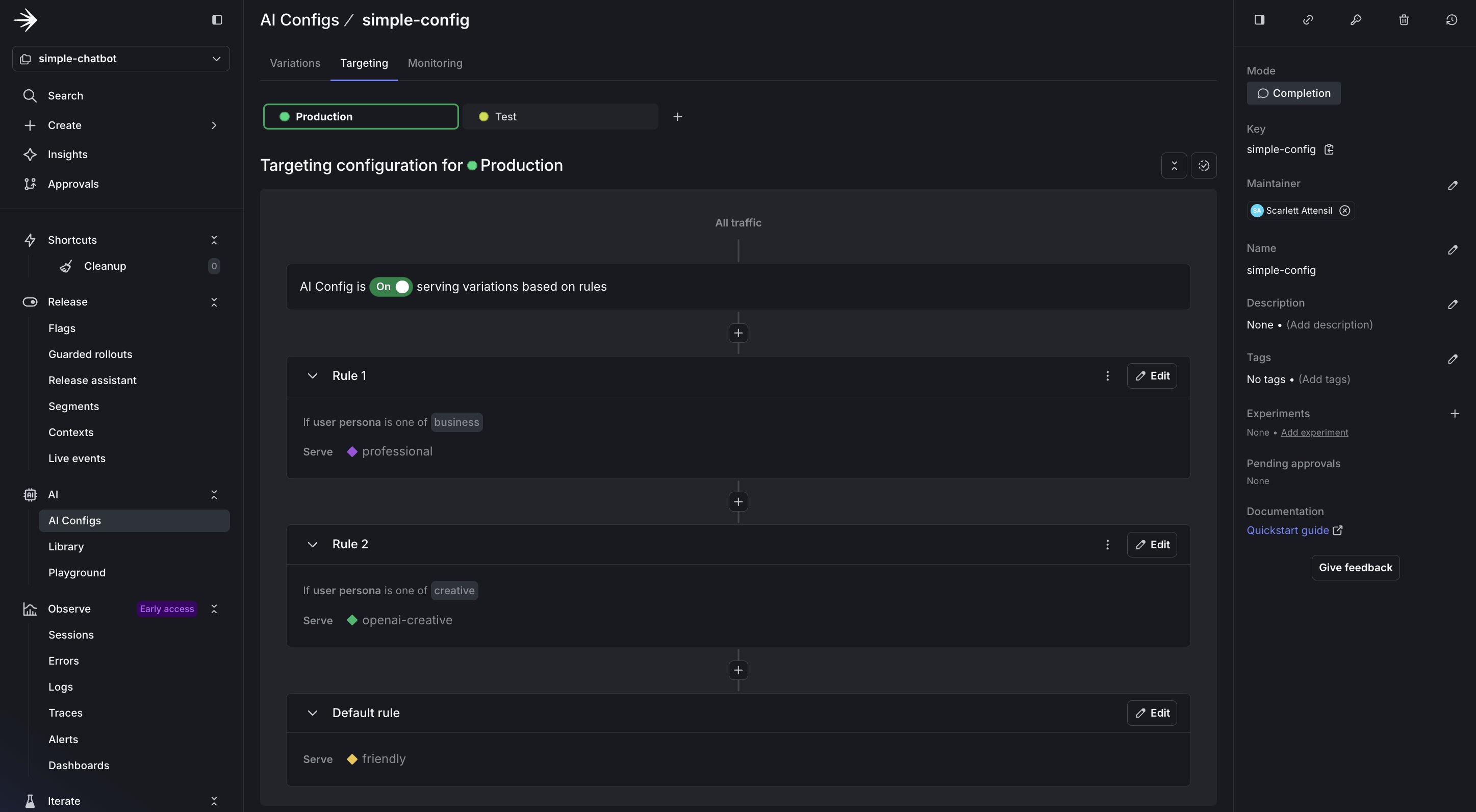
Setting up persona-based targeting rules
Step 3.3: Test different personas
Run the chatbot with persona support:- Ask: “How can AI improve our sales process?”
- Expected: Professional, ROI-focused response with bullet points
- Ask: “Tell me about the future”
- Expected: Imaginative, engaging response, especially if using OpenAI
- How to add persona-based contexts to your existing code
- How to target AI variations based on simple user attributes
- How LaunchDarkly enables dynamic behavior without code changes