

Overview
This topic explains how to configure private context and user attributes in LaunchDarkly SDKs. These features are available for client-side, server-side, and AI SDKs. You can optionally configure your SDK to treat some or all attributes as private context attributes. You can use private context attributes for targeting purposes, but the SDK removes them from the context data it sends back to LaunchDarkly.The context key is not optional. You cannot set either the context key or the context kind as a private attribute.
_meta section. The values of these attributes are not displayed:
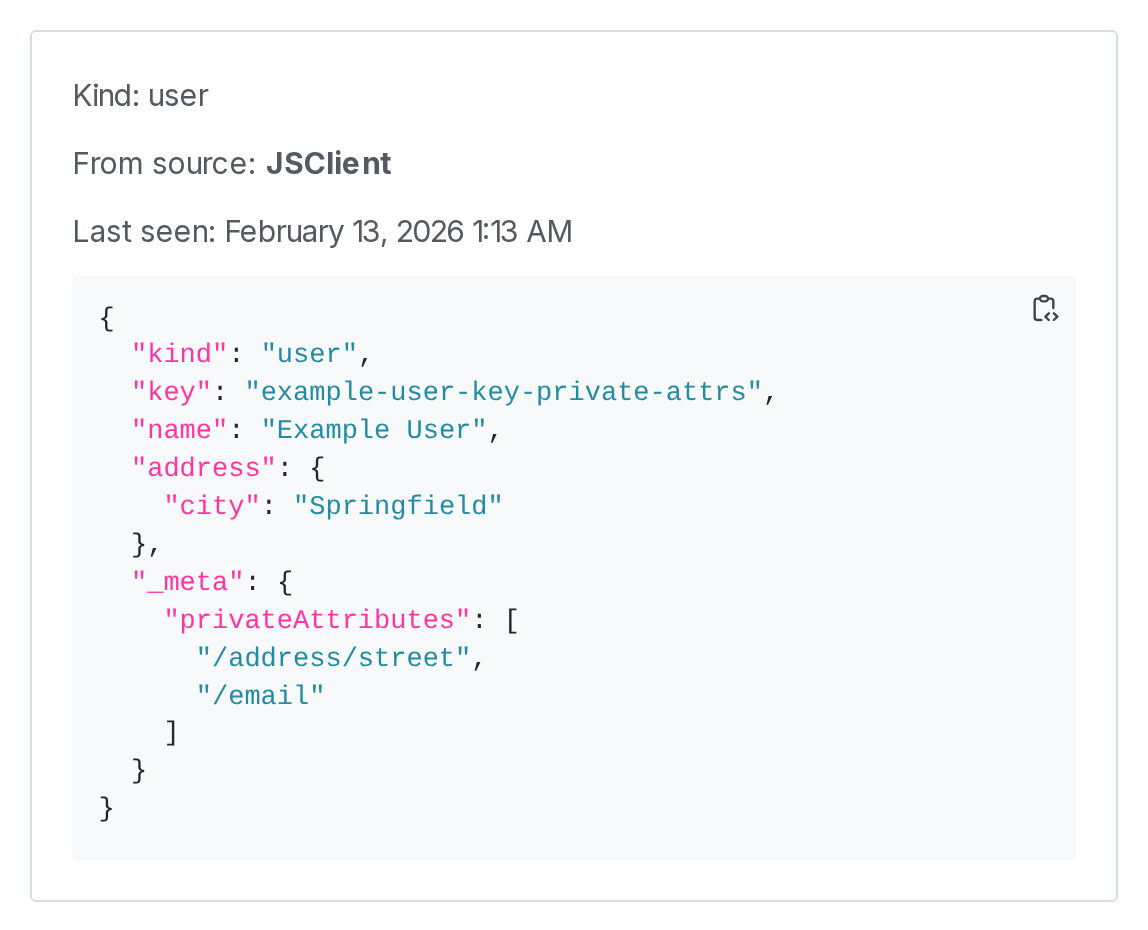
The "Attributes" section of the context details page, showing private attributes in a "_meta" section.
- If you are using a server-side or AI SDK, the SDK will not send the private attribute back to LaunchDarkly.
- If you are using a client-side SDK, the SDK will send the private attribute back to LaunchDarkly for evaluation. However, the SDK won’t send the attribute to LaunchDarkly in events data, LaunchDarkly won’t store the private attribute, and the private attribute will not appear on the Contexts list or on the detail page for the context.
A context is a generalized way of referring to the people, services, machines, or other resources that encounter feature flags in your product. Contexts replace another data object in LaunchDarkly: “users.” To learn more, read Contexts.Creating contexts and evaluating flags based on them is supported in the latest major versions of most of our SDKs. For these SDKs, the code samples on this page include the two most recent versions.