> ## Documentation Index
> Fetch the complete documentation index at: https://launchdarkly-preview.mintlify.site/llms.txt
> Use this file to discover all available pages before exploring further.
# Using the New Relic One events integration
> This topic explains how to configure and use the LaunchDarkly New Relic One events integration.
> For the complete documentation index, see [llms.txt](/llms.txt). For the full documentation snapshot, see [llms-full.txt](/llms-full.txt).
The New Relic events integration is only available to customers on select plans. To learn more, [read about our pricing](https://launchdarkly.com/pricing/). To upgrade your plan, [contact Sales](https://launchdarkly.com/contact-sales/).
This integration only works with a New Relic One Pro subscription. Check your subscription details on your New Relic account billing page.
## Overview
This topic explains how to use the LaunchDarkly New Relic One integration to view LaunchDarkly events in New Relic.
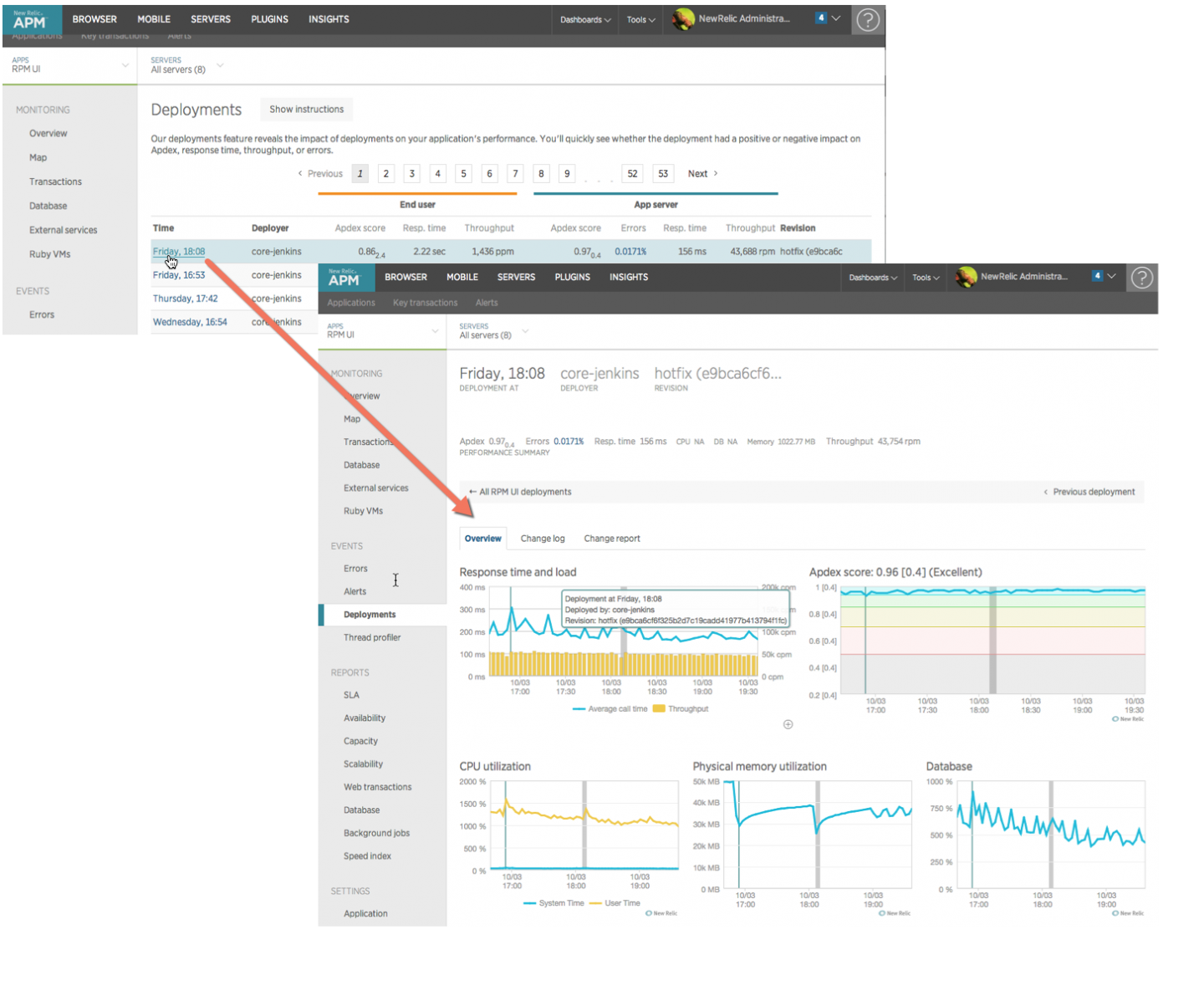
LaunchDarkly integrates with New Relic One. LaunchDarkly sends feature flag change events to New Relic One as deployment events. These events appear as new deployments in the [One console's APM Event log](https://docs.newrelic.com/docs/apm/apm-ui-pages/events/deployments-page-view-impact-your-app-users/).
## Prerequisites
To configure the integration, you must [create a User key](https://docs.newrelic.com/docs/apis/intro-apis/new-relic-api-keys/) in your New Relic One account.
User keys are unique to your New Relic One account. If you delete your New Relic One account, the integration will need to be reconfigured under a different New Relic One user account.
## Configure Launch
Darkly to send flag change events to New Relic One
To configure LaunchDarkly to send events to New Relic One:
1. Click the **gear** icon in the left sidenav to view Organization settings.
2. Click **Integrations** and find "New Relic One."
3. Click **Add integration**. The "Create New Relic One configuration" panel appears.
4. Give the integration a human-readable **Name**.
5. Paste in your [**New Relic User key**](https://docs.newrelic.com/docs/apis/intro-apis/new-relic-api-keys/).
6. Paste in your [**New Relic application ID**](https://docs.newrelic.com/docs/apis/rest-api-v2/get-started/get-app-other-ids-new-relic-one/).
7. (Optional) If you have an EU Region New Relic account, select the EU option in the **Data Center** menu.
8. (Optional) Configure a custom policy to control which flag information LaunchDarkly sends to New Relic One. To learn more, read [Add custom policies to the New Relic One integration](#add-custom-policies-to-the-new-relic-one-integration).
9. After reading the Integration Terms and Conditions, check the **I have read and agree to the Integration Terms and Conditions** checkbox.
10. Click **Save configuration**.
### Add custom policies to the New Relic One integration
LaunchDarkly sends all flag change events in the production environment to New Relic One by default. To customize the events LaunchDarkly sends to New Relic One, use the policy editor in the configuration panel. To learn more about creating a policy, read [Example roles and policies](/home/account/roles/example-roles).

## Access Launch
Darkly events in New Relic One
To view LaunchDarkly events in New Relic One, navigate to your application's APM dashboard, then select the **Event log** tab on your sidebar and filter for "Deployments" link on the sidebar.
Any flag change events in your production environment (default policy) will create a new deployment event. You will be able to view the impact of that flag change within this deployment page.