> ## Documentation Index
> Fetch the complete documentation index at: https://launchdarkly-preview.mintlify.site/llms.txt
> Use this file to discover all available pages before exploring further.
# Deleting release pipelines
> This topic explains how to delete release pipelines.
> For the complete documentation index, see [llms.txt](/llms.txt). For the full documentation snapshot, see [llms-full.txt](/llms-full.txt).
Release pipelines are in beta, and are available only to certain customers with an Enterprise plan. Aspects of this feature may change without notice or become deprecated in favor of other release management features.
If release pipelines are not available to you and you want to try the feature, contact your LaunchDarkly account team.
## Overview
This topic explains how to delete release pipelines.
## Delete release pipelines
You can only delete release pipelines that do not have any active releases. If there are any flags in any phase of a release pipeline, you cannot delete the pipeline.
To delete a release pipeline:
1. Navigate to **Release assistant**. The default release pipeline and its releases appear.
2. Click the release pipeline name, and select **Manage release pipelines**. The release pipelines list appears.
3. Click the **three-dot** overflow menu next to the release pipeline you want to delete and select **Delete**.
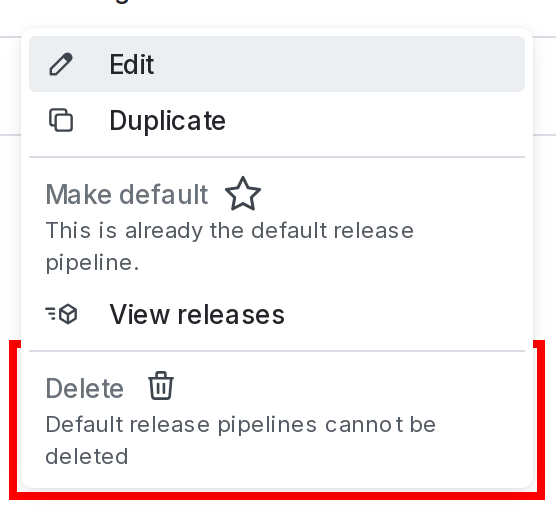
4. Enter the pipeline's name or key to confirm.
5. Click **Delete**.
You can also use the REST API: [Delete release pipeline](/api-reference/release-pipelines-beta/delete-release-pipeline)