> ## Documentation Index
> Fetch the complete documentation index at: https://launchdarkly-preview.mintlify.site/llms.txt
> Use this file to discover all available pages before exploring further.
# Set up React Web SDK
> Install and initialize the LaunchDarkly React Web SDK
> For the complete documentation index, see [llms.txt](/llms.txt). For the full documentation snapshot, see [llms-full.txt](/llms-full.txt).
### Install the package
```shell title={"yarn"} theme={null}
yarn add launchdarkly-react-client-sdk
```
```shell title={"npm"} theme={null}
npm i launchdarkly-react-client-sdk
```
```shell title={"pnpm"} theme={null}
pnpm i launchdarkly-react-client-sdk
```
### Initialize the SDK
```tsx title={"React Web SDK initialization"} theme={null}
// Add the code below to the root of your React app.
import { StrictMode } from 'react';
import { createRoot } from 'react-dom/client';
import { LDProvider } from 'launchdarkly-react-client-sdk';
function App() {
return Let your feature flags fly!
}
// A "context" is a data object representing users, devices, organizations, and other entities.
const context = {
kind: 'user',
key: 'EXAMPLE_CONTEXT_KEY',
email: 'biz@face.dev',
};
// The clientSideID is your SDK key.
// This value is automatically retrieved from LaunchDarkly.
createRoot(document.getElementById('root') as HTMLElement).render(
,
);
```
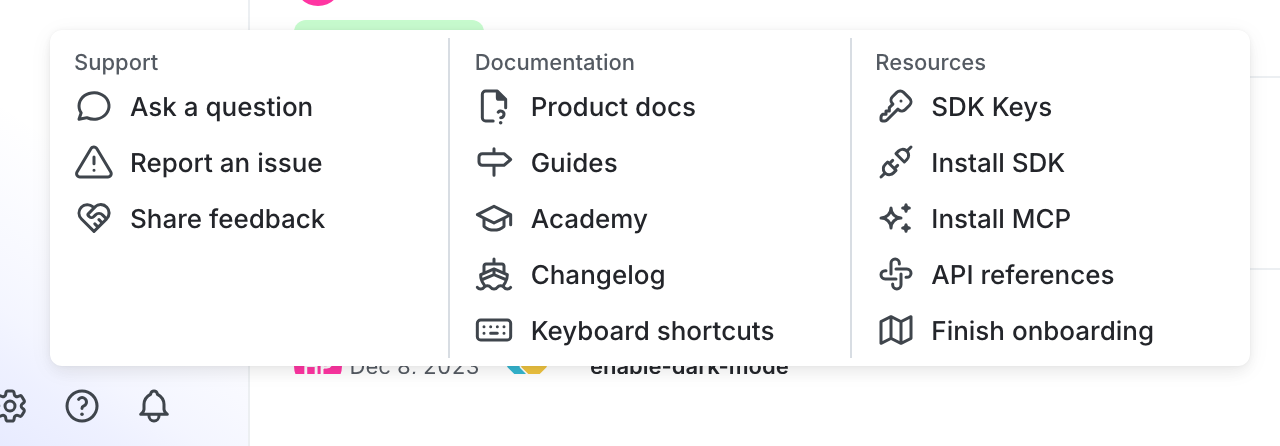
You can find your server-side SDK key, client-side ID, and mobile key in the "Resources" section of the help menu. Click the **help icon** at the bottom left corner of the LaunchDarkly UI, then choose **SDK keys**:
To learn more, read [Initialize the client](/sdk/client-side/react/react-web#initialize-the-client) in the React Web SDK reference guide.