> ## Documentation Index
> Fetch the complete documentation index at: https://launchdarkly-preview.mintlify.site/llms.txt
> Use this file to discover all available pages before exploring further.
# Testing changes to flag targeting
> This topic explains how to use the test run feature to find out which variation a particular context will receive for a given feature flag.
> For the complete documentation index, see [llms.txt](/llms.txt). For the full documentation snapshot, see [llms-full.txt](/llms-full.txt).
## Overview
This topic explains how to use the test run feature to find out how changes to your flag targeting will affect contexts and segments.
When you make a flag targeting change, you can view:
* Which variation a particular context will receive after a targeting change
* What percentage of contexts will receive each variation after a targeting change
Testing changes to flag targeting helps ensure that contexts receive the flag variations you expect after you make changes.
## Test variations received by individual contexts
To test which variation an individual context will receive after you make a flag targeting change:
1. From the **Flags** list, open the flag you want to preview.
2. If the flag is off and the rules are hidden, click **View targeting rules**.
3. Make any needed changes to the flag rules.
4. Click the **fingerprint** test run icon. The "Test run a context" section appears.
5. Search for and select the context you want to preview, or edit the JSON object to supply the context kind and key.
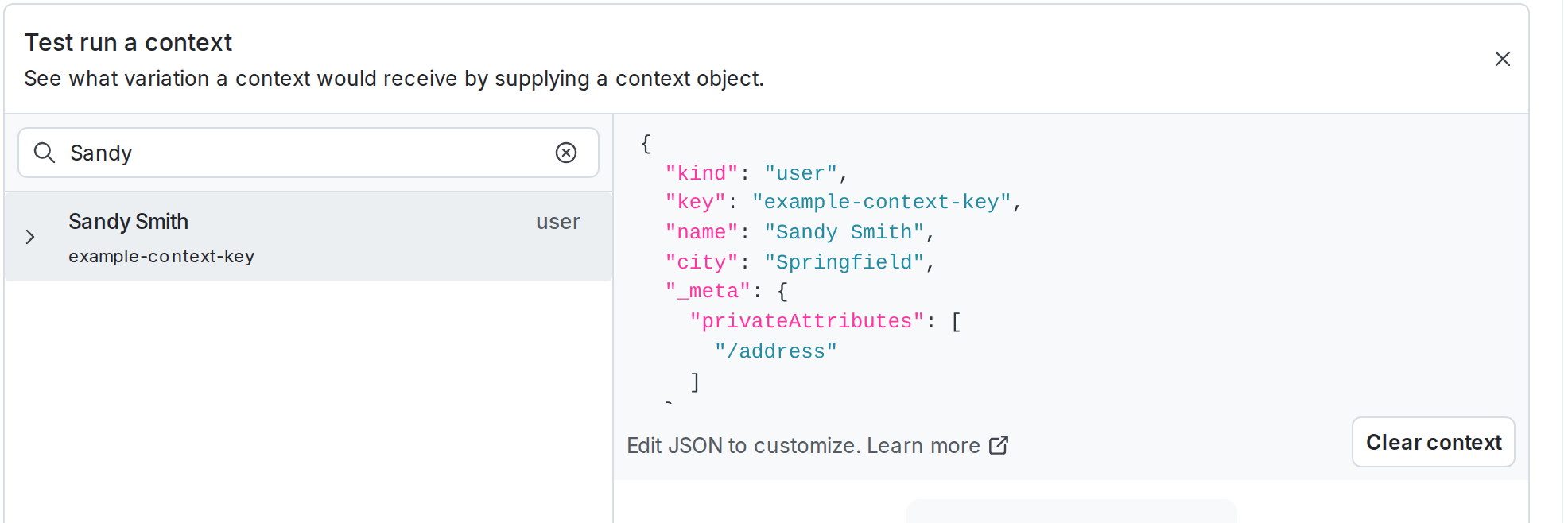
The "Based on current targeting" section populates with the variation that the context is currently receiving. If you have unsaved targeting changes, the "Based on unsaved changes" section populates with the variation that the context will receive after you save your changes.
Click **Clear context** to clear the JSON object and start a new search.
## Test what percentage of contexts will receive a variation
To enable this feature, toggle on "Test run" in the [feature preview menu](/home/account/feature-previews). Feature previews are available to certain eligible LaunchDarkly accounts.
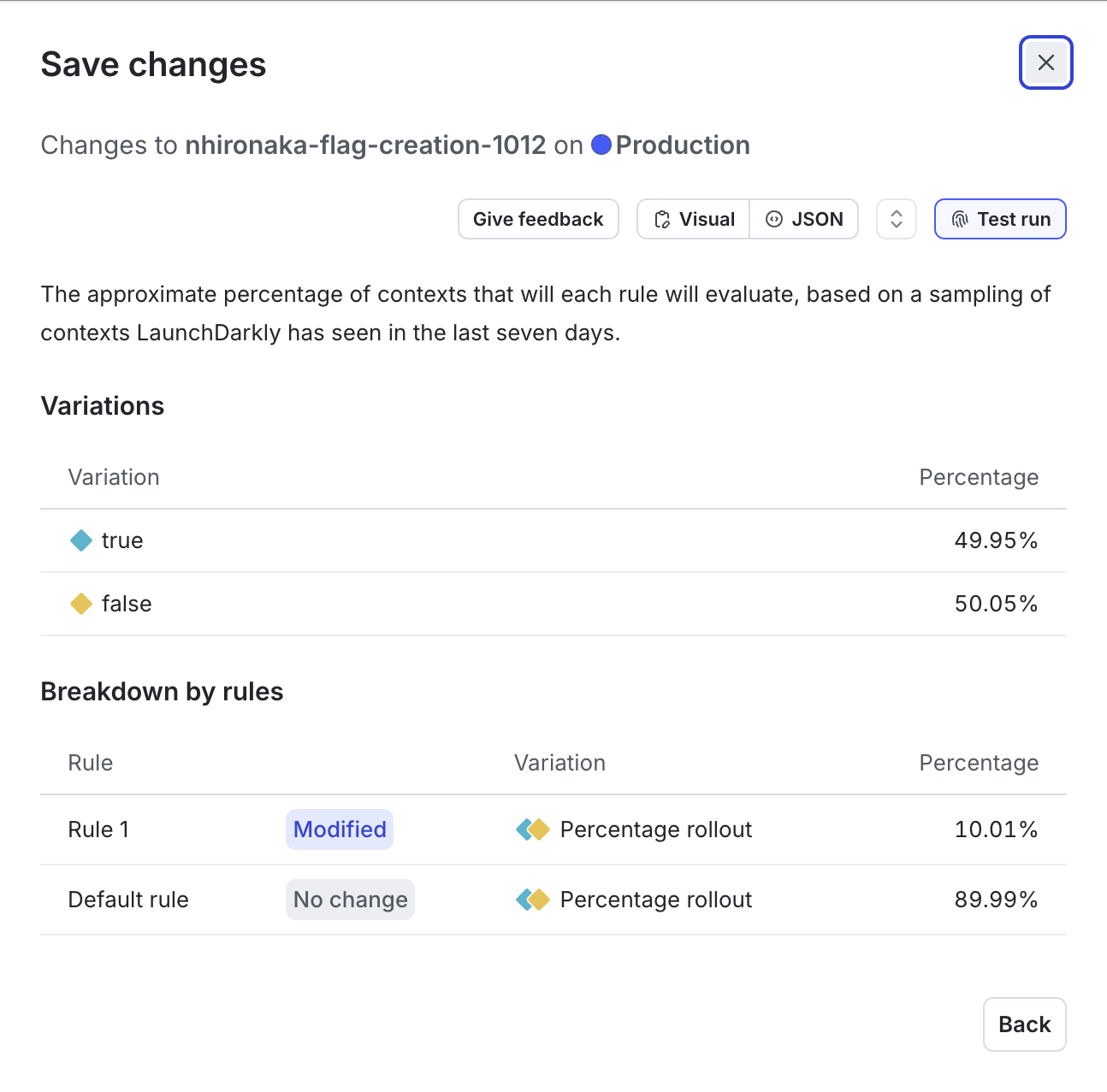
You can view the approximate percentage of contexts that will receive each flag variation after a targeting change, based on a sampling of contexts LaunchDarkly has seen in the last seven days.
To test a targeting change:
1. From the **Flags** list, open the flag you want to modify.
2. If the flag is off and the rules are hidden, click **View targeting rules**.
3. Make any needed changes to the flag rules.
4. Click **Review and save**. The "Save changes" dialog appears.
5. Review your targeting changes, [add comments](/home/releases/comments), or [request approval](/home/releases/approvals) as needed.
6. Click **Test run**. The "Test run" dialog appears.
7. Review the percentage of contexts that will receive each variation after you save your changes.
8. Click **Back** to return to the "Save changes" dialog.
9. Click **Save changes**.