> ## Documentation Index
> Fetch the complete documentation index at: https://launchdarkly-preview.mintlify.site/llms.txt
> Use this file to discover all available pages before exploring further.
# Vega for flag cleanup
> This topic explains how to use Vega to identify and remove stale feature flags from your codebase.
> For the complete documentation index, see [llms.txt](/llms.txt). For the full documentation snapshot, see [llms-full.txt](/llms-full.txt).
Vega for flag cleanup requires a connected GitHub account to create pull requests. To learn how to connect GitHub, read [Connecting Vega to GitHub](/home/getting-started/vega-github).
## Overview
Vega is LaunchDarkly's AI-powered agent. To learn more about Vega, including eligibility and pricing, read [Vega](/home/getting-started/vega).
Vega can help you identify and remove stale feature flags from your codebase. Stale flags accumulate technical debt, and most teams don't clean them up because the process is manual and error-prone. Vega automates safety checks and code changes, removing the main barriers to keeping flag counts manageable.
## How it works
To start a flag cleanup, you can either:
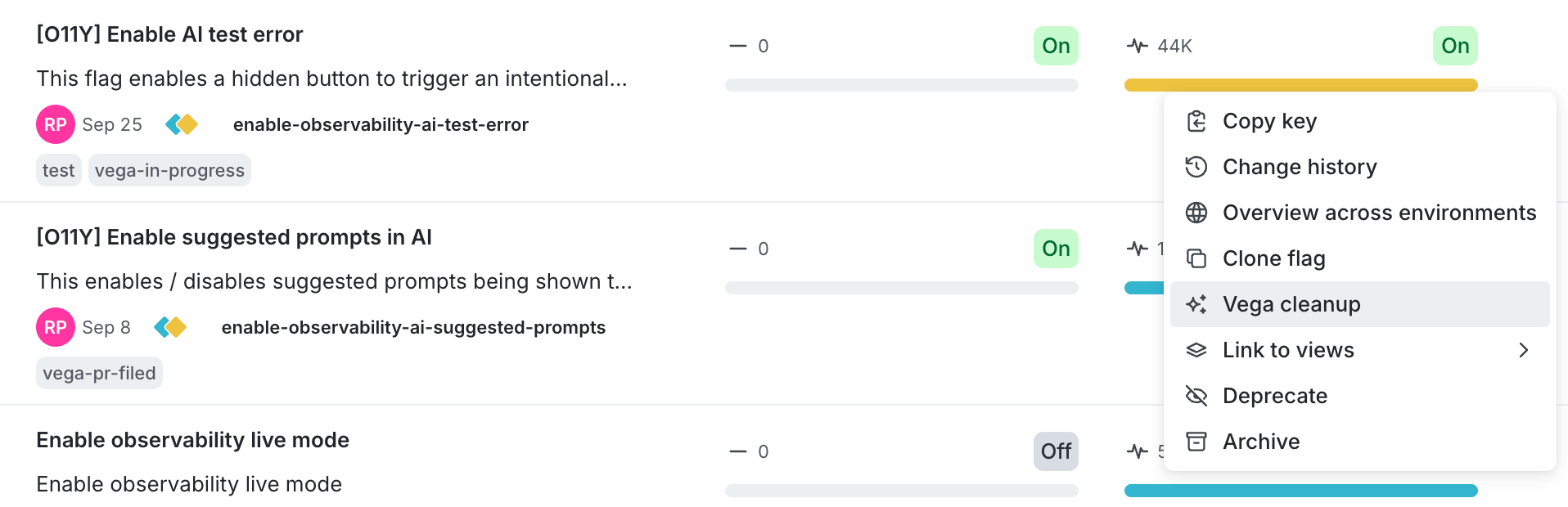
* Go to the **Flags** list, click the **three-dot** overflow menu on any flag, and select **Vega cleanup**.
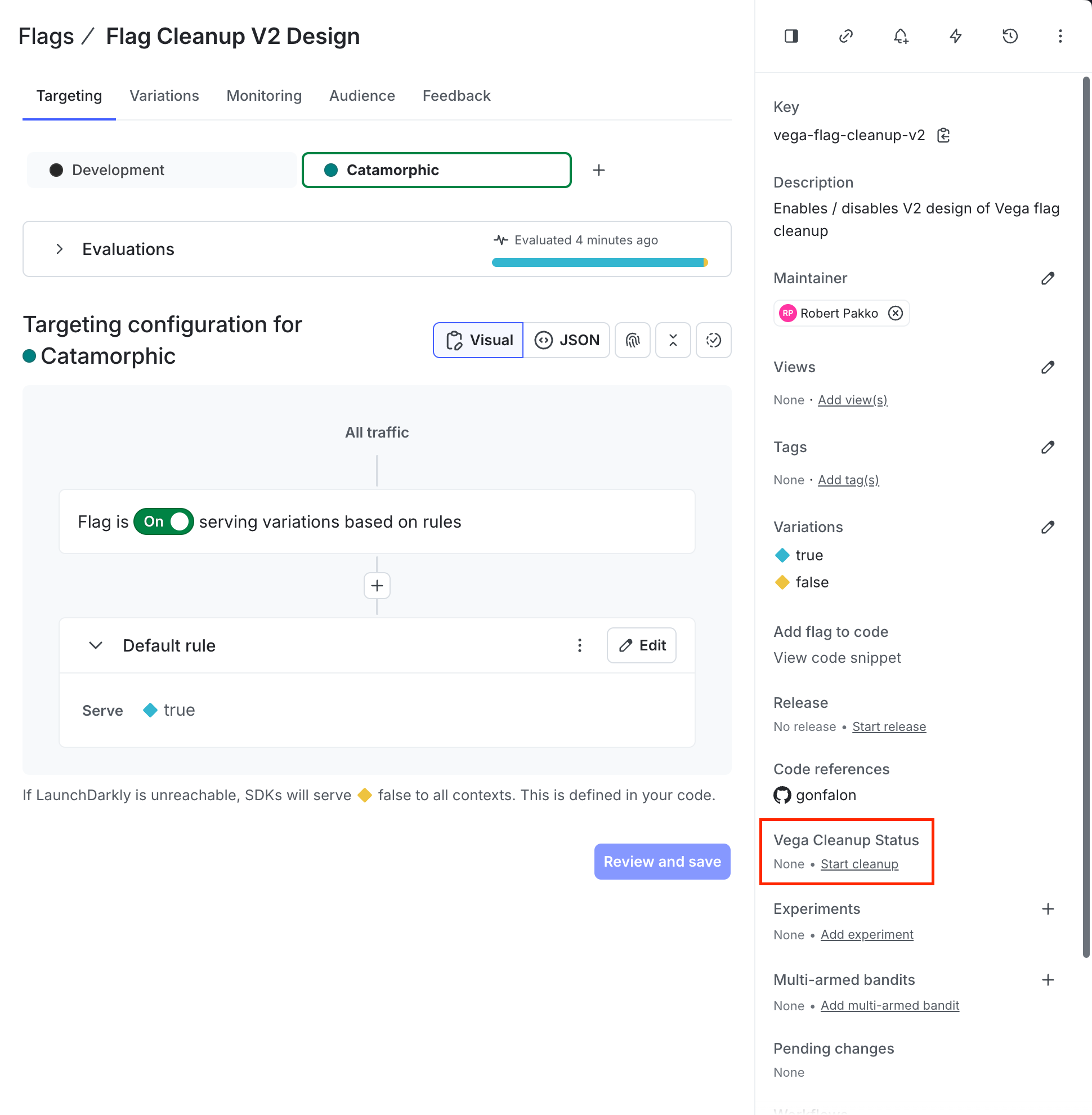
* Or, click a flag in the **Flags** list, and then click **Start cleanup** in the **Vega Cleanup Status** section of the sidebar.
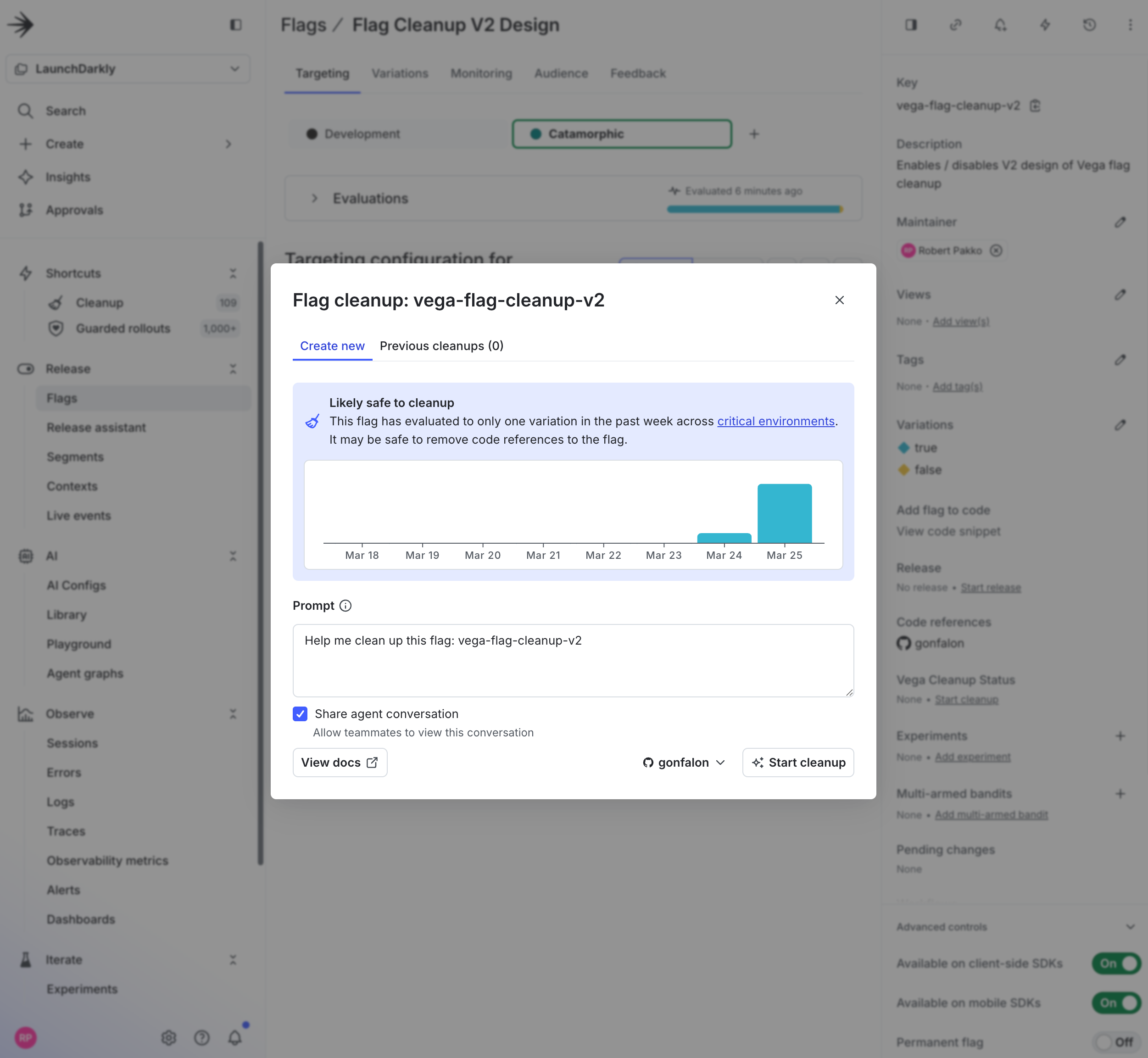
Either option opens the **Flag cleanup** modal, which shows a staleness analysis and lets you start the cleanup:
Once started:
1. The cleanup job appears under the **Flag Cleanup** tab.
2. Vega checks that the flag has only a single variation being evaluated across all [critical environments](/home/account/environment#critical-environments). If multiple variations are still active, Vega won't proceed with the cleanup task.
3. If the check passes, Vega creates a GitHub pull request to remove the flag from your code.
## How Vega determines if a flag is safe to clean up
Vega follows this procedure to determine whether a flag is safe to remove:
1. **Queries your critical environments**: Vega identifies all environments marked as critical for your project.
2. **Checks flag evaluations**: Vega checks the flag's evaluations in these environments to confirm that the flag is "stale," meaning it serves the same variation across all critical environments.
3. **Takes action**:
* If the flag is stale, Vega proceeds with code cleanup and creates a pull request.
* If the flag is not stale, Vega notifies you. You can still tell Vega to clean up the flag if you'd like to proceed anyway.
## Tracking cleanup status
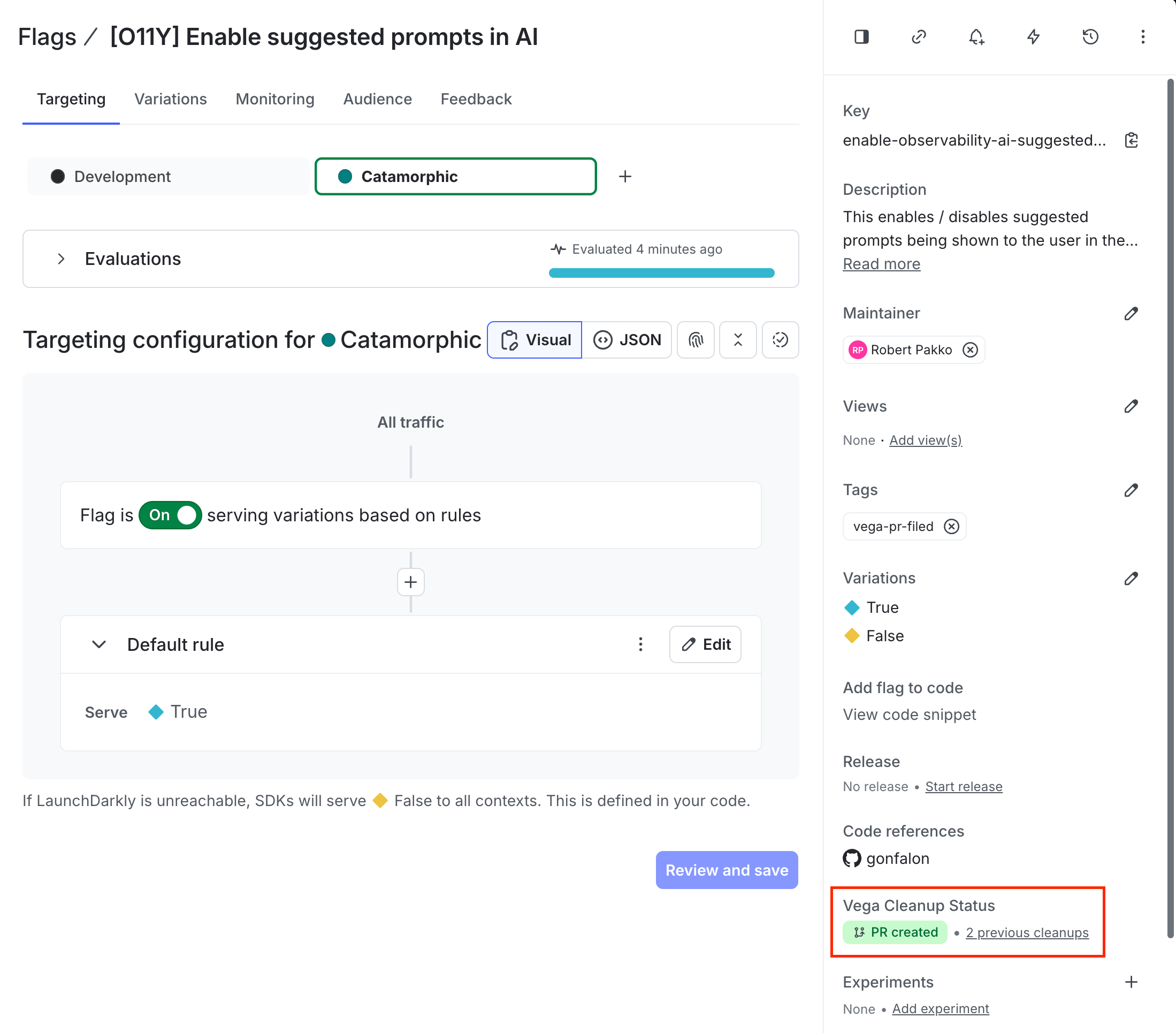
You can view a flag's cleanup status in the **Vega Cleanup Status** section on the flag's detail page sidebar:
When Vega completes a cleanup, it provides a summary including staleness analysis, code changes, and a link to the pull request:
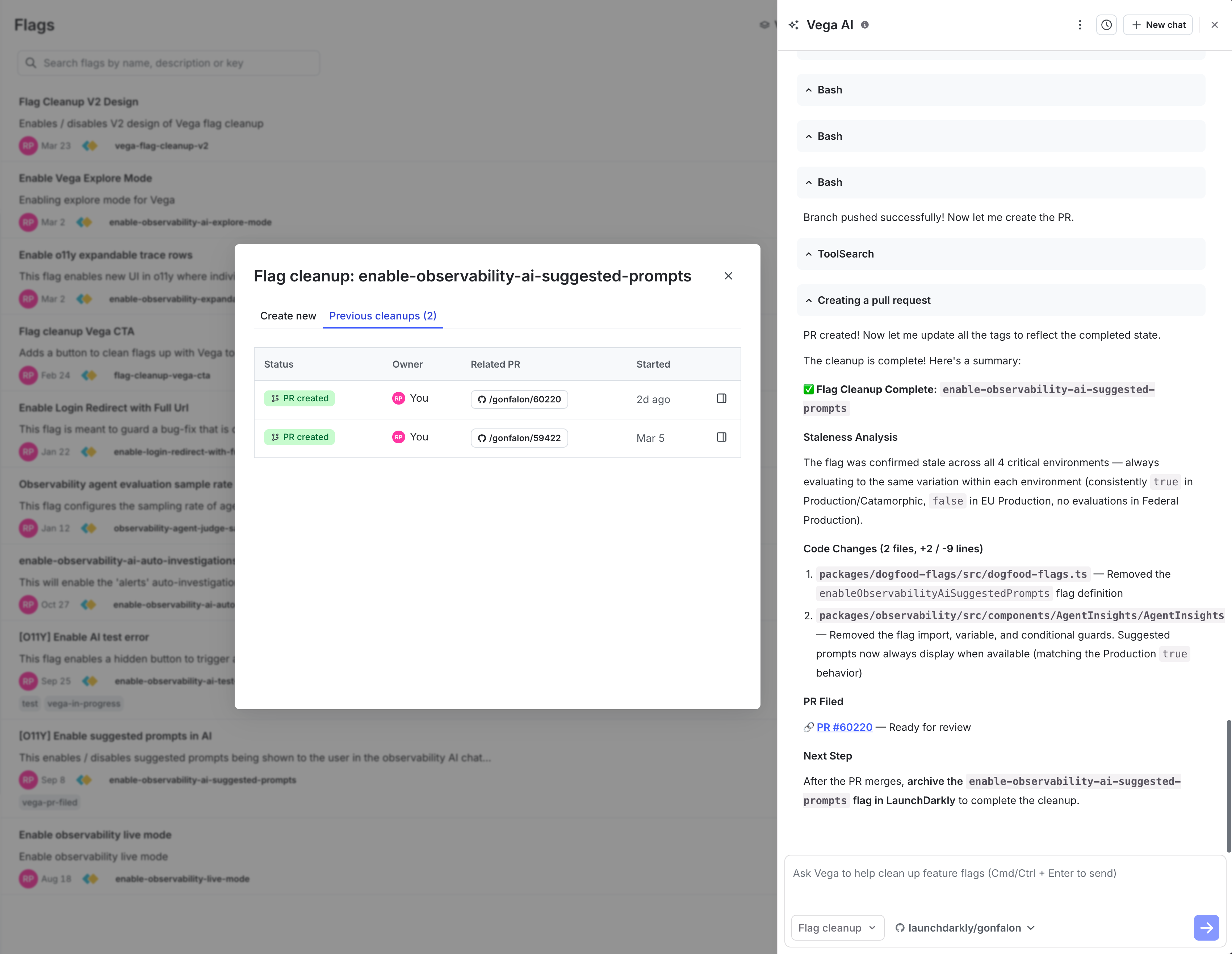
Vega tags flags during the cleanup process. You can filter by these tags in the **Flags** list to track progress:
\| Tag
| Meaning |
| - |
\| --- |
\| vega-pr-in-progress
\| Cleanup is underway for this flag. |
\| vega-pr-filed
\| A pull request has been created for this flag's cleanup. |
If Vega determines the flag is still active (multiple variations in use across critical environments), it will notify you and stop. If Vega cannot find the flag in your code repositories, it will also notify you.
## Supported version control
Vega currently supports GitHub only for creating pull requests. To learn how to connect GitHub, read [Connecting Vega to GitHub](/home/getting-started/vega-github).
## Related resources
* [Vega](/home/getting-started/vega) for general information about Vega, including eligibility and pricing.
* [Customizing Vega with repository instructions](/home/getting-started/vega#customizing-vega-with-repository-instructions) to improve Vega's cleanup results by adding a `CLAUDE.md` or `AGENTS.md` file to your repository.
* [Flag cleanup custom agent for GitHub Copilot](/home/getting-started/github-copilot-agent) for an alternative approach that uses GitHub Copilot to clean up flags.