> ## Documentation Index
> Fetch the complete documentation index at: https://launchdarkly-preview.mintlify.site/llms.txt
> Use this file to discover all available pages before exploring further.
# Randomization units
> This topic explains what randomization units are and how to use them in LaunchDarkly Experimentation.
> For the complete documentation index, see [llms.txt](/llms.txt). For the full documentation snapshot, see [llms-full.txt](/llms-full.txt).
## Overview
This topic explains what randomization units are and how to use them in LaunchDarkly Experimentation. An experiment's randomization unit is the [context kind](/home/flags/context-kinds) the experiment uses to assign traffic to each of its variations.
When you create an experiment, you will choose a randomization unit that determines both:
* which context kind the experiment will allocate traffic to different variations by, and
* which metrics you can use in the experiment.
Most experiments use the `user` randomization unit. This means that the experiment will sort contexts that encounter the experiment into different variations by user. You can also choose a different context kind, like `device` or `organization`.
## Randomization units in metrics and experiments
To use a particular [metric](/home/metrics) within an experiment, the metric and the experiment must use the same context kind as their randomization unit.
You select a metric's randomization unit when you create it:
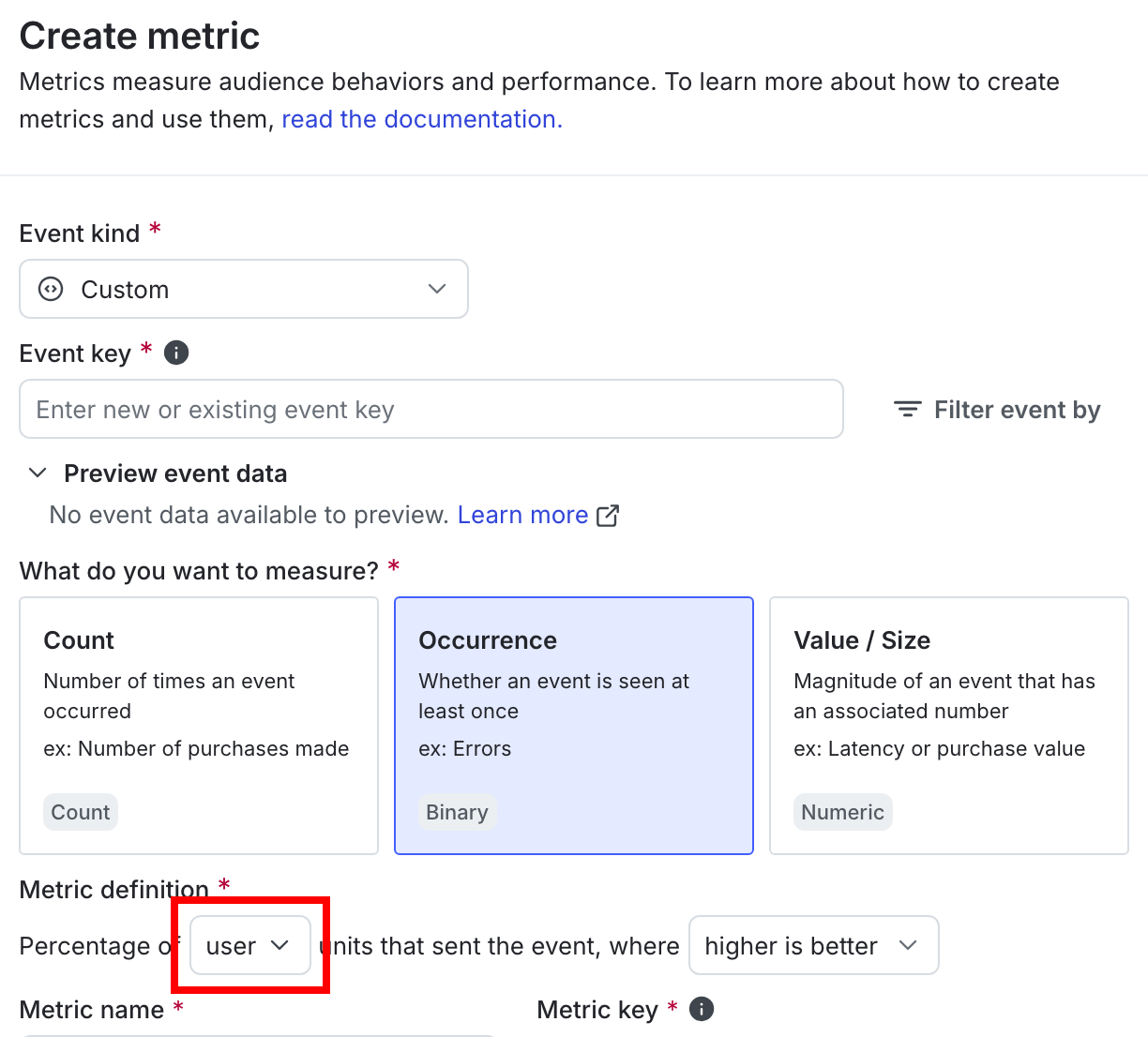
Later, when you create an experiment, select the same randomization unit to make the metric available to the experiment:

Like experiments, many metrics use a context kind of `user` as their randomization unit, but can also use other kinds depending on what the metric is measuring. To learn more, read [Creating and managing metrics](/home/metrics/create-metrics).
## Mark context kinds available for experiments
New context kinds that you create in the LaunchDarkly user interface (UI) are available for experiments by default. You can mark a context kind as available or unavailable for experiments from the **Contexts** list.
New context kinds [automatically created from your SDKs](/home/flags/context-kinds-create#create-context-kinds-from-an-sdk) are not marked as available for experiments by default. To make them available for experiments, follow the procedure below.
To make a context kind as available or unavailable for experiments:
1. Navigate to the **Contexts** list.
2. Click the **gear** icon on the right. The context kinds list appears.
3. Click the **three-dot** overflow menu next to the context kind you want to edit.
4. Select **Edit**. The "Edit context kind" dialog appears.
5. Check or uncheck the **Available for experiments and guarded rollouts** checkbox.
6. (Optional) Check the **Set as the default for experiments** checkbox if you want new experiments to default to this context kind as the randomization unit.
7. Click **Save**.
## Randomization units and multi-contexts
If you use multi-contexts, you have options as to which context kind you want to use as a randomization unit for an experiment. Expand the section below to view an example.
Imagine the `user` Anna and the `user` Jesse both work for the `organization` Global Health Services. If they are both in an experiment that randomizes by `organization`, Anna and Jesse will always be sorted into the same variation in the experiment, because their contexts share the same `organization`. However, if they are in an experiment that randomizes by `user`, then they could end up in different variations.
Here is what their multi-contexts would look like, though each SDK sends context data to LaunchDarkly in a slightly different format:
```json title="Two multi-contexts with the same org key" theme={null}
{
"kind": "multi",
"user": {
"key": "user-key-anna", // Anna has a unique user key
"name": "Anna",
},
"organization": {
"key": "org-key-global-health", // The org key is the same in both multi-contexts
"name": "Global Health Services",
}
}
{
"kind": "multi",
"user": {
"key": "user-key-jesse", // Jesse has a unique user key
"name": "Jesse",
},
"organization": {
"key": "org-key-global-health", // The org key is the same in both multi-contexts
"name": "Global Health Services",
}
}
```
There are two ways you could randomize the multi-contexts in an experiment:
* if you randomize by `user`, Anna could be assigned to one variation, and Jesse could be assigned to the other variation because they have different user keys
* if you randomize by `organization`, Anna and Jesse will both always be assigned to the same variation because they share the same organization key